


Exciting News from Spooky2! We’re delighted to unveil the latest upgrades to your Spooky2 software. Our team has been hard at work to bring you enhancements that elevate your healing journey. Embrace these updates and discover new possibilities for your health and wellness routines. Ready to explore? Let’s dive into what’s in store for you!
Here is a more comprehensive list of the changes in this version:
Improved: When Out2 runs every second frequency or creates sidebands, programs with odd total frequency numbers use the first frequency for Out2 on the final frequency.
Improved: Scalar Digitizer Master presets.
Improved: Decimal places for carrier sweep creation.
Improved: Waveform display in Settings tab. The right side of the graph display was being truncated on some screens.
Improved: Error code handling for biofeedback, frequency-limit and slow ticker timer routines.
Improved: DNA databases and presets.
Spooky uses the most recent genome sequences to ensure the DNA databases contain the latest mutations of disease-causing pathogens. For general pathogens, a date limit of 10 years was previously set. Older sequences were omitted from the databases. This means that older, unchanging genome sequences were missed. The new versions of DNA databases and presets goes as far back as 1976 to capture the sequences previously ignored.
Improved: Grade scan data files are now appended with “_Grade”.
New: Tissue Factor Option. This factor compensates for reduced signal speed through tissue.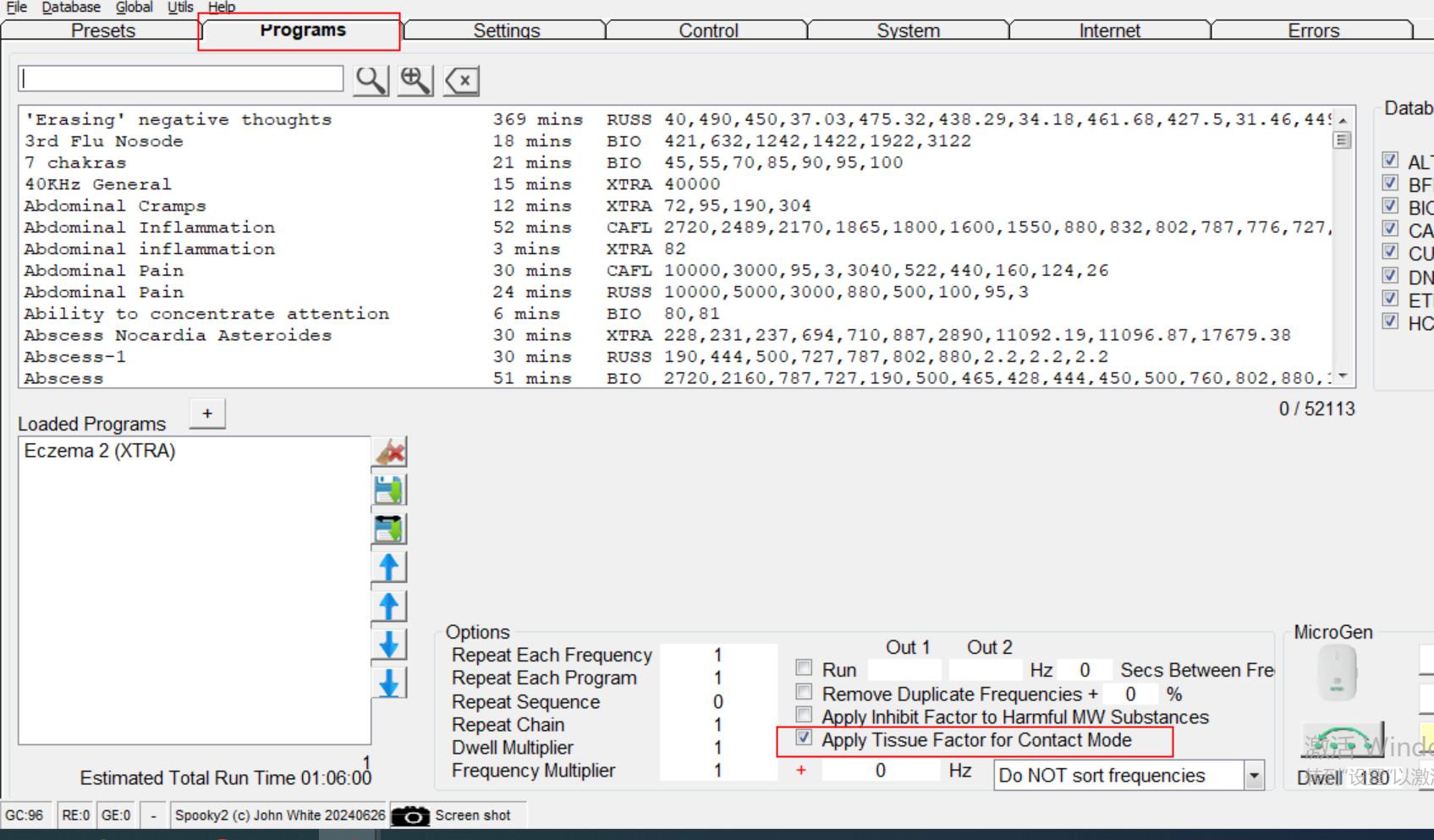

New: Amino acid chains (proteins) to frequency. Spooky now accepts amino acid characters within a program. Amino acids must be within brackets. For example (mkalivlglvllsvtvqgkvfercelartlkrlgmdgyrgislanwmclakwesgyntratnynagdrst dygifqinsrywcndgktpgavnachlscsallqdniadavacakrvvrdpqgirawvawrnrcqnrdvr qyvqgcgv) is a valid program for lysozyme F1 simulation. To inhibit a protein, start the string with “-“; ie, “(-mkaliv….) Spooky converts each amino acid character to its corresponding frequency.
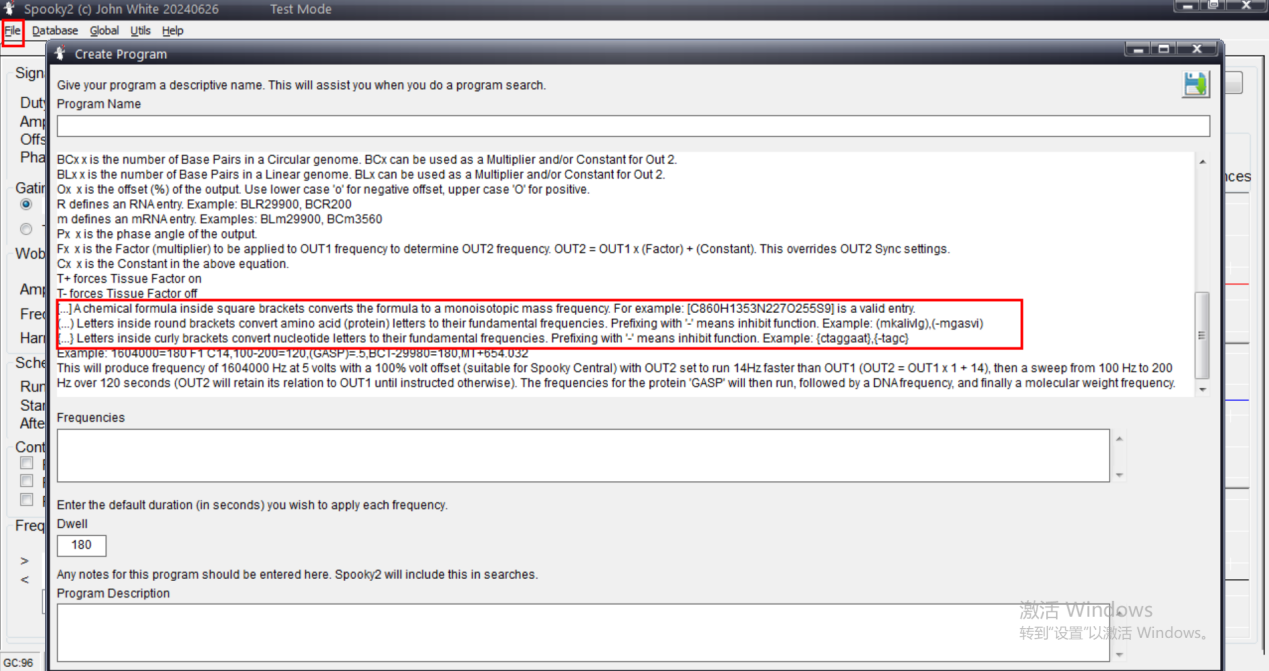
Proteins, peptides, DNA & RNA are the building blocks of life, consisting of chains of amino acids. Using audio to simulate or inhibit amino acid sequences is an innovative concept. If you want to know more about this, you can click here
Audio for Proteins, Peptides, DNA, RNA and More
Method for the epigenetic regulation of protein biosynthesis by scale resonance
New: Each generator can have text tied to it. The text is free-form, and can be the name of the person being treated, or any other information.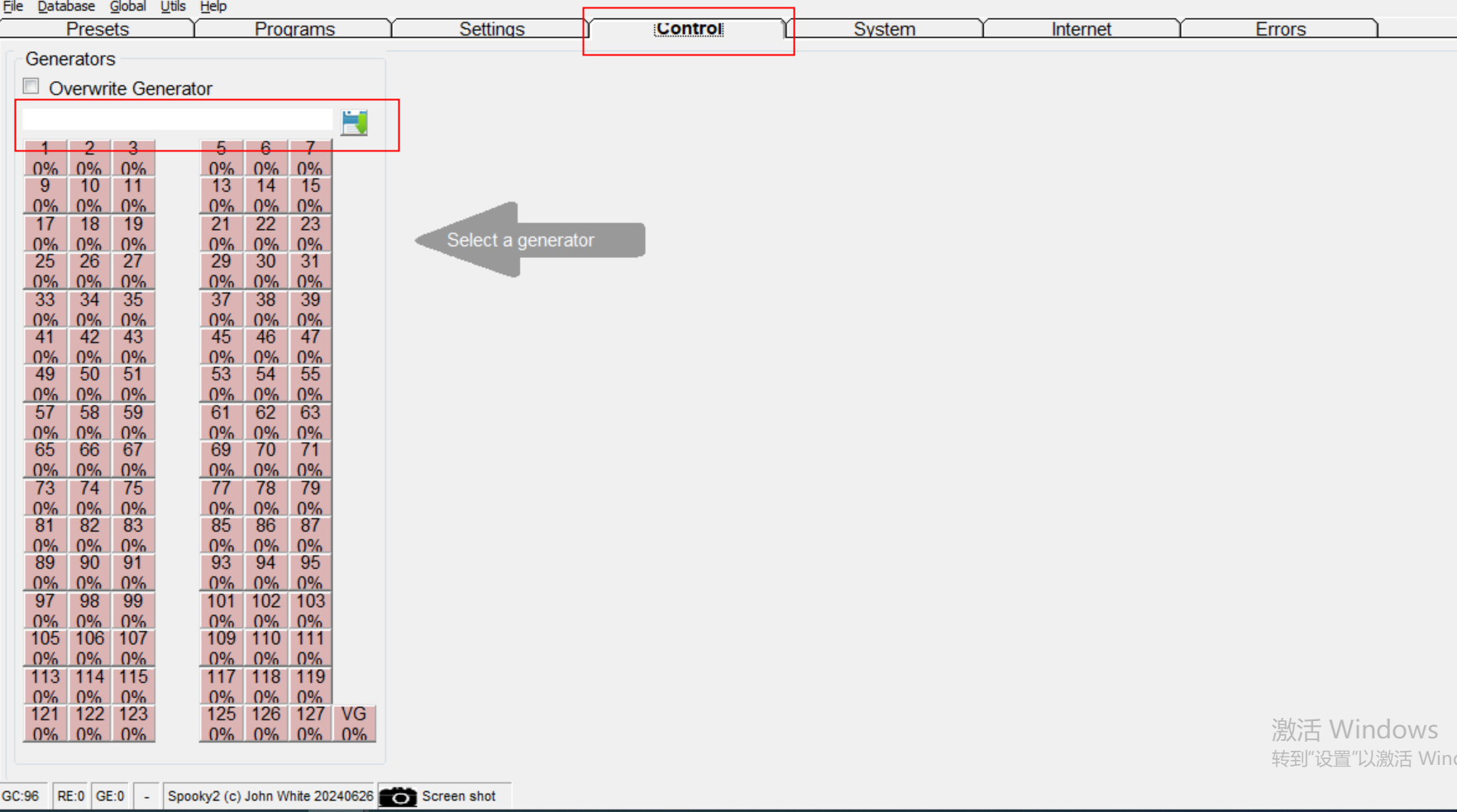
New: Option to create sidebands. This is particularly useful with plasma, because it halves run-times. Every second frequency is hit by a sideband created by the previous frequency.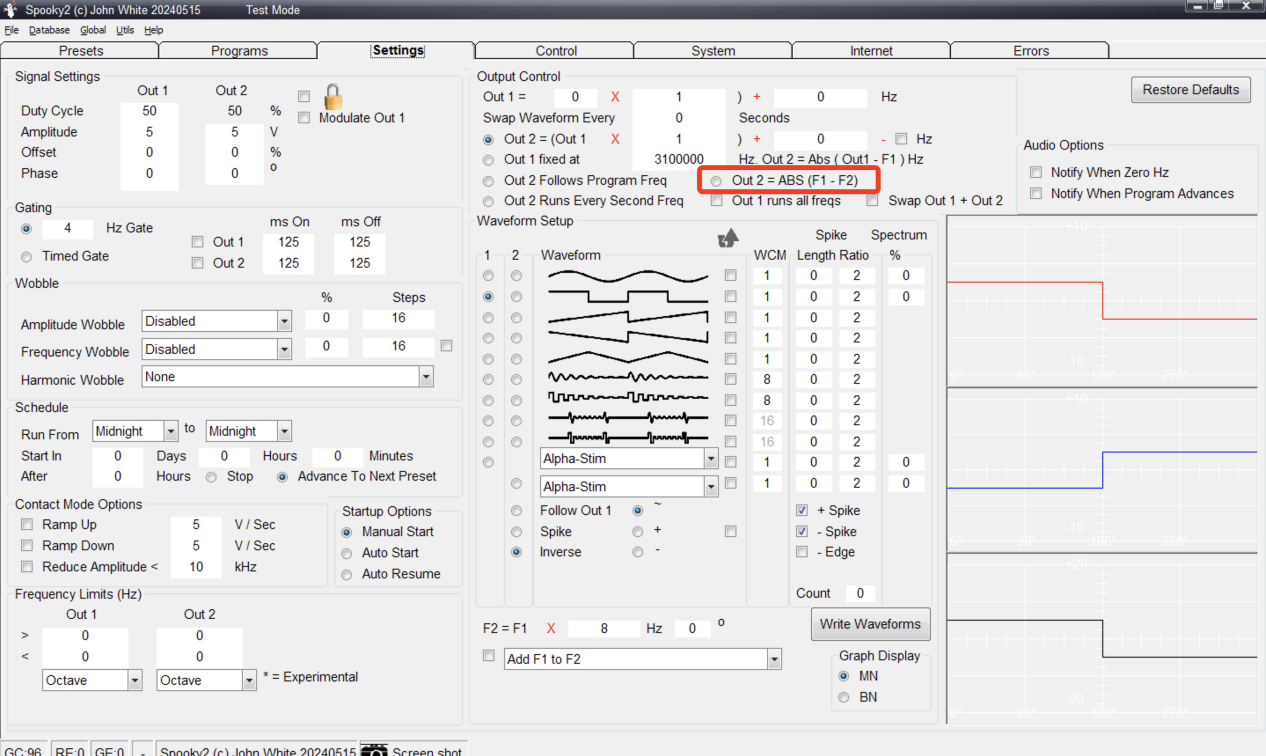
New: Option to prevent Out1 from skipping frequencies if “Out 2 Runs Every Second Freq” or “Out 2 = ABS(F1 – F2)” are selected. This is useful if you want frequencies to be hit more than once.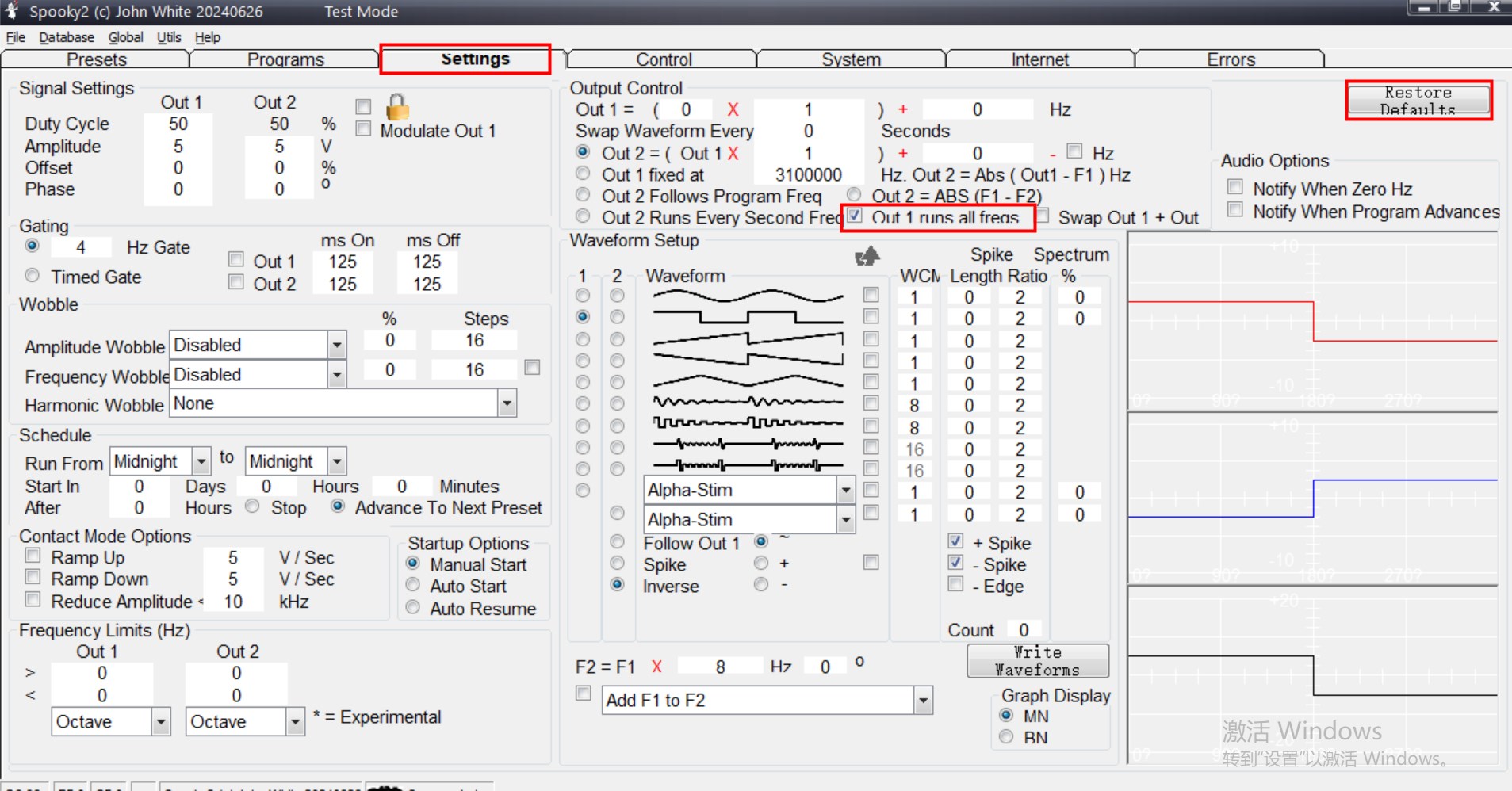
New: Firmware check before starting firmware update. If firmware is already up to date, the updating program is not started.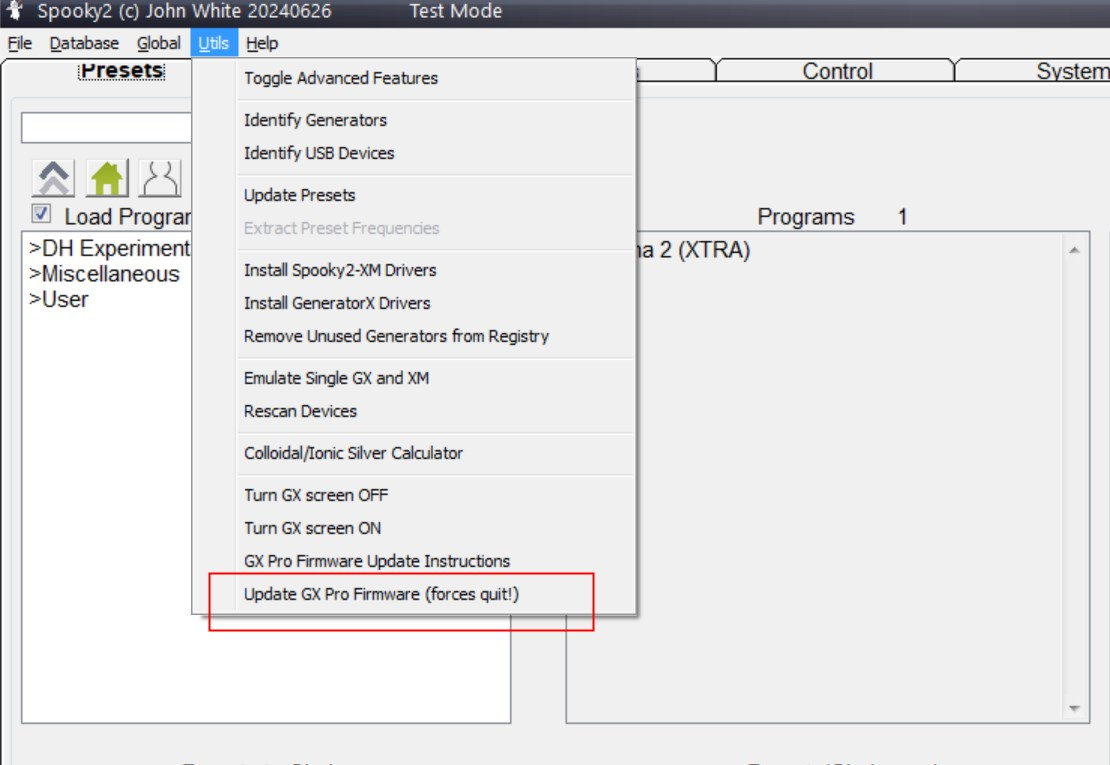
New: “L” (wavelength to frequency conversion) is now accepted by most fields in the Program and Settings tabs.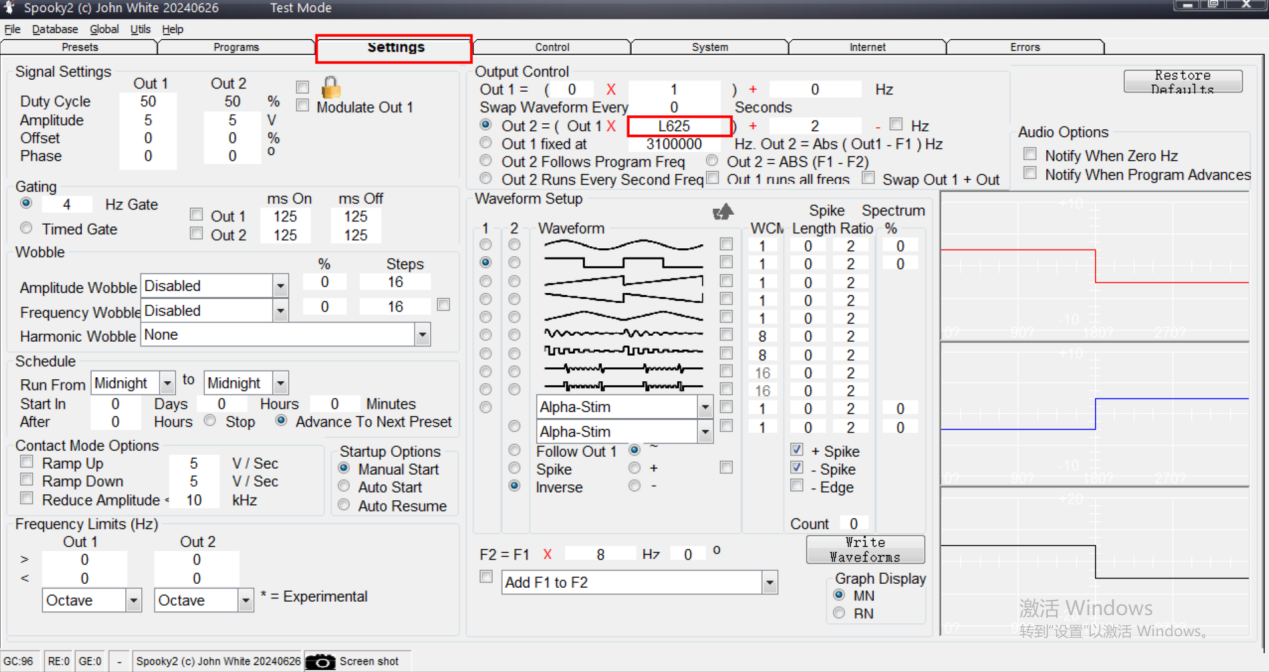
New: “Read Single BFB Variable” option in System tab. Normally, both Current and Angle are measured during a BFB. This option speeds up BFB scans by reducing the USB traffic.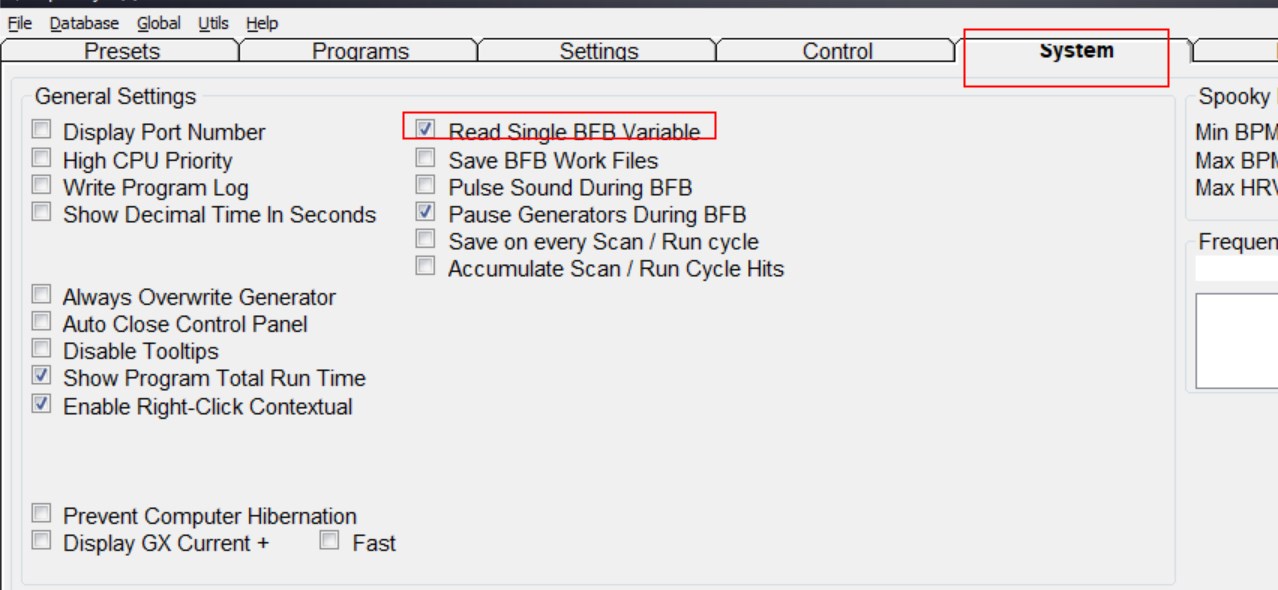
Fixed: Reverse Frequency sorting.
Fixed: Database selection errors in Programs tab when “RUSS” and “VEGA” labels are clicked. (Thanks Anne)
Fixed: Hunt and Kill generator behaviour (the slave generator was using some parameters from the scan generator on the second cycle).
Fixed: GX Pro Firmware to v2.01. Fixes offline frequency error. The full installer includes the firmware update software.
Fixed: Amplitude wobbles for slave generators
Fixed: Programs tab “Move the program to the bottom” arrow was not working correctly.
Fixed: “Write Waveforms” square wave file creation.
Fixed: Forced factors for MW and DNA / RNA.
Fixed: Grade Scan option not always available when frequencies were loaded.
Updated: Morgellons and Lyme v3.0 presets. Thanks to Bryan Yamamoto.
Updated: Main database to version 20240111.
Updated: DNA databases to version 20240511.
Updated: MW database to version 20240515.
Updated: Presets to version 20240511.

Brilliant!! Thank you
Hi, tks a lot!!!
Should we just download this version and do the installation as the first time or is there a specific procedure to update Spooky2 software?
Hello, you need to know which disk your old version of the installer is located on. After you download the new one, replace the previous installer and restart your computer.
Hi , can we have step by step how to update it?i have no idea on which disc the old version was running, how can I find out?
Sorry but not ever is computer savy
Thanks
Hello,
Regarding the first question: Right-click on the software shortcut and select ‘Open file location.’ This will allow you to see where the older version is located.
For the second question: Here is the download link for the latest software version:https://www.spooky2-mall.com/downloads/
This latest file is not executing properly during the installation phase.
Hello, thank you for your message. We have contacted the technical department, and the issue has been resolved. You can now proceed with the installation. Have a great day!