To provide the best experiences, we use technologies like cookies to store and/or access device information. Consenting to these technologies will allow us to process data such as browsing behavior or unique IDs on this site. Not consenting or withdrawing consent, may adversely affect certain features and functions.
The technical storage or access is strictly necessary for the legitimate purpose of enabling the use of a specific service explicitly requested by the subscriber or user, or for the sole purpose of carrying out the transmission of a communication over an electronic communications network.
The technical storage or access is necessary for the legitimate purpose of storing preferences that are not requested by the subscriber or user.
The technical storage or access that is used exclusively for statistical purposes.
The technical storage or access that is used exclusively for anonymous statistical purposes. Without a subpoena, voluntary compliance on the part of your Internet Service Provider, or additional records from a third party, information stored or retrieved for this purpose alone cannot usually be used to identify you.
The technical storage or access is required to create user profiles to send advertising, or to track the user on a website or across several websites for similar marketing purposes.



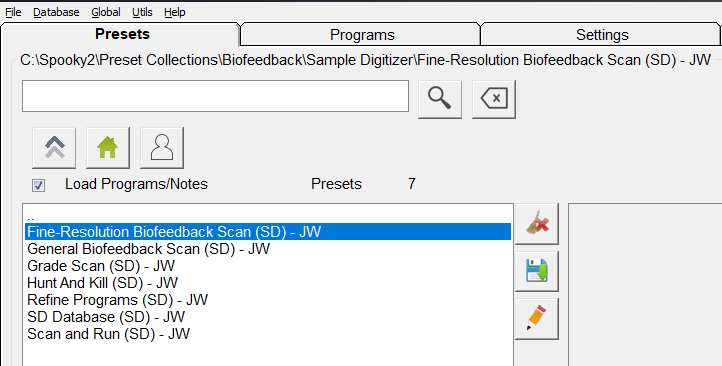
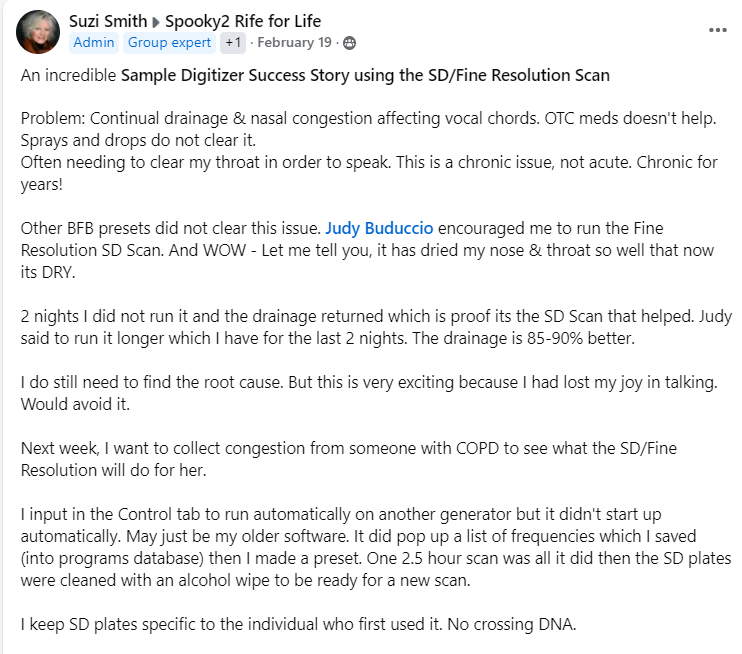


I will have to try this scan – my joints in my fingers
Are in agony and for two years I have tried everything in Spooky 2 . I have scalar, I have big magic PEMF , I have tried hologram , remote etc everything and nothing has ever helped me ! I am desperate as the pain is unbearable – so I will try the sample scan and find out what the problem really is
Dear Emma,
Thank you for your message. I understand your frustration with the pain you’ve been experiencing, and I truly empathize with your situation. I’m glad you’re giving the Sample Digitizer scan a try—this might help pinpoint the underlying issues with your joints.
If you need any assistance setting up the scan or have any questions during the process, please feel free to reach out. We’re here to help you on your healing journey.
Wishing you relief and improved health soon.
Best regards,
Spooky2 Support Team
Thank you for this information. How do i retrieve the data? What do the results tell me? I am not totally clear on what to do with biofeedback scans and how to use them. Any information would be very much appreciated. Many thanks!
Dear Patricia,
Thank you for reaching out! Here’s a quick guide on how to retrieve and use the data from your Spooky2 biofeedback scan:
1. Retrieving the Data:
Once the scan is complete, the software will display a list of frequencies that responded during the scan. You can save this list for easy reference. These frequencies represent areas your body responded to and are often linked to imbalances or pathogens.
2. What the Results Tell You:
The scan identifies frequencies related to harmful microorganisms or imbalances detected in your sample. It doesn’t diagnose conditions caused by non-microbial factors such as vitamin deficiencies or organ issues. The frequencies highlight targets for treatment.
3. Using the Results:
You can load the saved frequency list into the Spooky2 software and run the recommended programs with your generator (GX or GX Pro). Depending on your setup, you can use the frequencies in Contact, Remote, or Plasma mode.
4. Tracking Progress:
For ongoing progress, regularly replace the biological sample and run further scans to track changes and adjust your treatment plan as needed.
For more in-depth guidance, I recommend the Spooky2 Biofeedback Training Course and our tutorial videos. If you need any personalized assistance or further clarification, don’t hesitate to contact us at support@spooky2-mall.com.
Best regards,
Spooky2 Support Team