

Many of our users have used the options in the Programs tab to modify the repeat times for a single preset. But when it comes to bulk editing like preset chains, things may get tricky. Created by Spooky2 expert Bryan Yamamoto, the Chain Editor utility is designed to make this editing process smoother. This article will walk you through the repeat options in the Chain Editor so that you can manage and edit your preset chains with ease.
Installation and Importing
The Chain Editor installer (ChainEditor_SetUp.exe) is available in the Spooky2 folder. If this is your first time using the Chain Editor, you can launch the installer from the Utils section in the menu bar. Alternatively, you can download the installer from our downloads page.
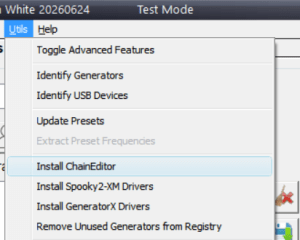
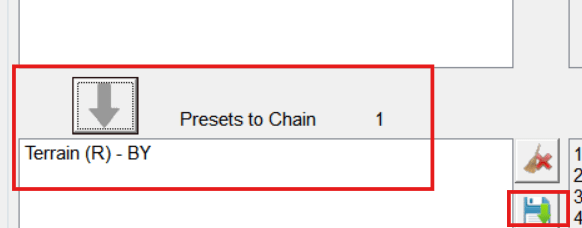
Launching the Chain Editor directly from the software’s Presets tab is only applicable to the User Directory. You can create and save your own preset chain following this video tutorial. If you wish to modify a factory preset like the Terrain protocol, which is in essence a fixed chain of 15 presets, you will need to save it as a custom chain first.
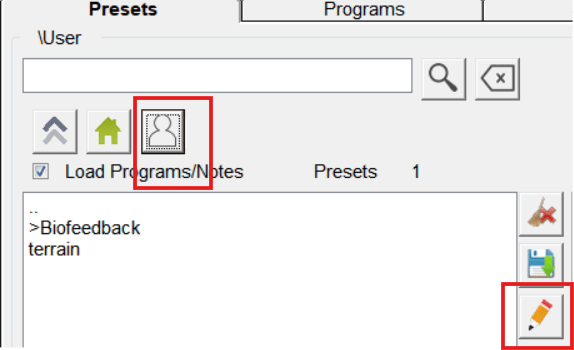
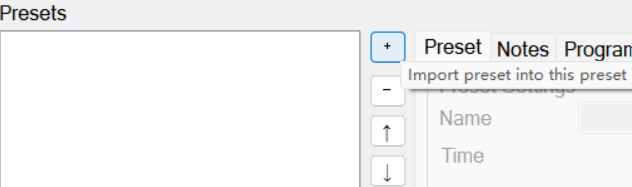
You can also manually import or delete presets directly in the Chain Editor using the “+””-” buttons. The up and down arrows below allow you to move your selected child preset(s) in the entire chain.
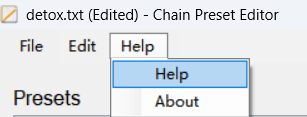
Please remember to save your work to the User folder before you exit the utility. For more detailed instructions, check the Help document.
Your Repeat Options
The repeat options are located under the Program tab in the Chain Editor, similar to the software. However, the Chain Editor allows you to bulk edit child presets of your choice. Your selected child presets will be highlighted in the left box.
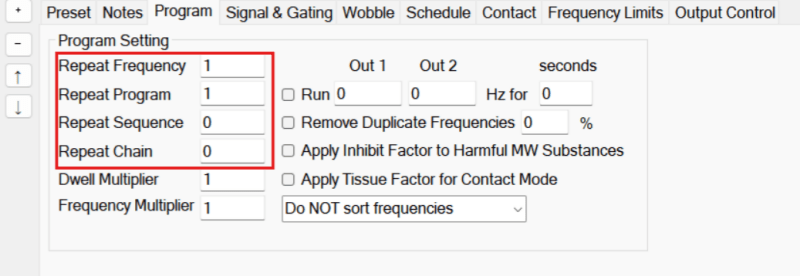
Repeat Each Frequency: Every frequency in the selected preset will be repeated multiple times before advancing to the next frequency. The value should not be set to 0, as the program will thus be held to loop the same frequency.
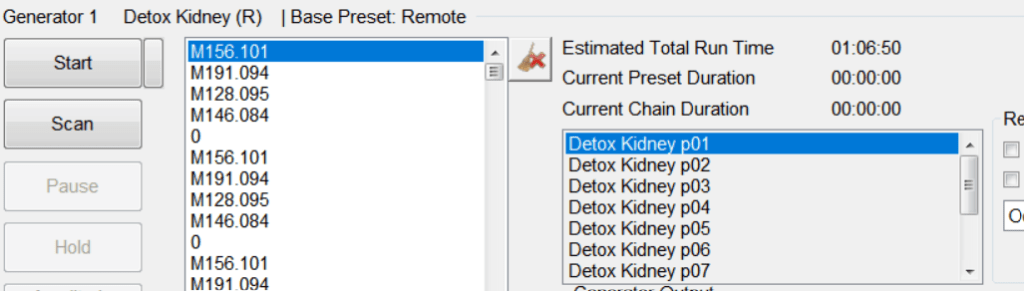
Repeat Program: Every program in this preset will be repeated multiple times before advancing to the next program. For example, the default setting for peptide presets is to repeat each program 10 times for effective treatment. Detox Kidney in the example below is such a peptide preset. The first program Detox Kidney p01 will be repeated 10 times before advancing to to p02. Please note that it is NOT recommended to make adjustments inside individual peptide presets.
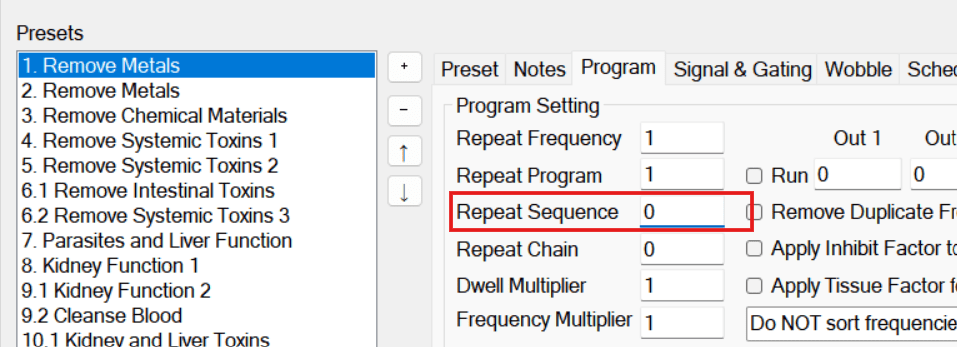
Repeat Sequence: When there are multiple presets in a chain, changing the Repeat Sequence value of a child preset means that the repeat times of this very preset has been changed. For example, the default value for 1. Remove Metals in the Terrain protocol is 0, meaning that this preset will be looped continuously for the scheduled 24 hours (Day 1). If you change the value to 1, this preset will only be run once, then moving on to 2. Remove Metals.
Repeat Chain: If Repeat Chain value is set to 0, the entire chain will be looped indefinitely unless manually stopped, which is the case for many Remote setups. If you set the value to 1, the entire chain will stop after one run.
Share Your Insights
The Chain Editor is a handy add-on to the Spooky2 software. If you would like to further discuss how to optimize your workflow, share your insights, or seek technical support, we welcome you to join our Facebook Rife for Life online community.

Thank uou for the infomation, this is something that i javent understood properly.
So if you are chaining peptides you should leave the repeat program at 10?
If the first peptide was an one hour program it would run for ten hours before moving to the second program. Have I missed something? That seems like it would take too long to get through them all.
So if I chain peptides and don’t edit the chain the default is for each peptide to run ten times before moving on to the next?
Thank you
Hi Anna! Glad this information has helped 🙂
A so-called JW peptide program is in essence a preset, which is composed of multiple single-peptide programs. Generally, you should leave the Repeat Program value for JW peptide programs at 10, which is the default setting.
For example, if you load Adrenal Gland Balance (R), whose default run time is 1 hour 6 mins 37 secs, you can see that each program inside this preset (p1-p12) is already set to repeat 10 times before advancing. In the frequency box, you can see p1 (frequencies M87.032-M147.068) is repeated 10 times, followed by p2 (frequencies M137.059-M113.059).
If you create a chain of peptide presets, it is only recommended to change the Repeat Sequence or Repeat Chain value, which doesn’t affect the inside of any peptide program.
Thank you, now I understand!