How it works
Spooky2 pulse scan monitors your heart rate to detect your body’s response to certain frequencies. This allows you to identify frequencies that either calm the body for healing or stress pathogens for killing. An elevated heart rate indicates a stress response to a frequency, whereas a decreased heart rate suggests a calming effect. An identified frequency is called a ‘hit.’ During the scan, the generator sends frequencies to your body, and the Spooky2 Pulse tracks your heart rate response.
Hardware Requirements
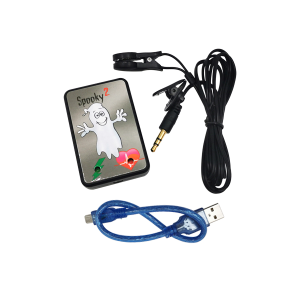
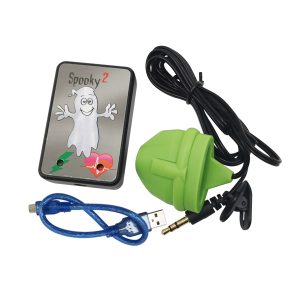
1 Windows System laptop, 1 Spooky2 XM Generator, 1 Spooky2 Pulse (finger / ear clip), 1 Spooky2 Boost, 1 set of TENS cable & pads
Step-by-Step Operation
Hardware connection
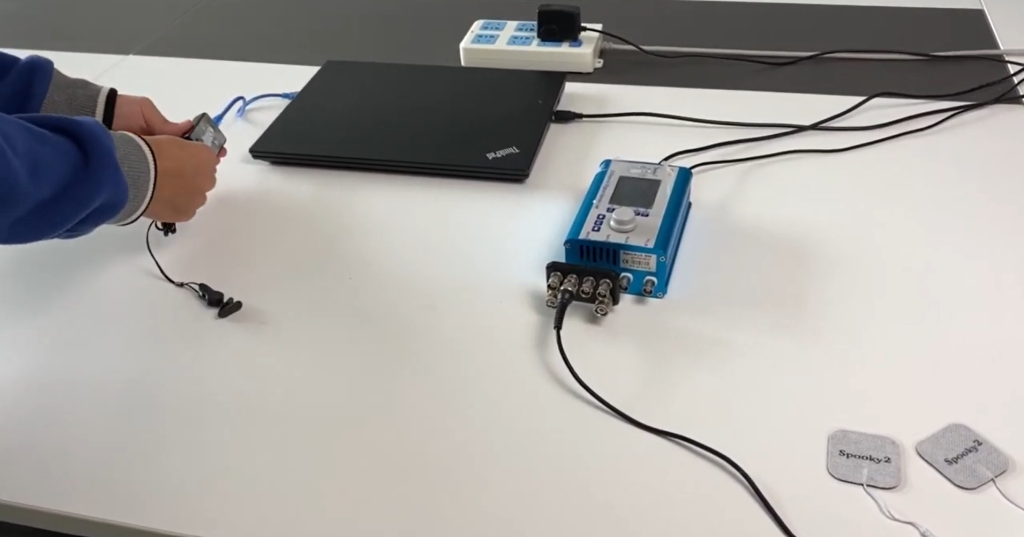
- Connect the Spooky2 XM Generator to the computer’s USB port and the 5V power supply.
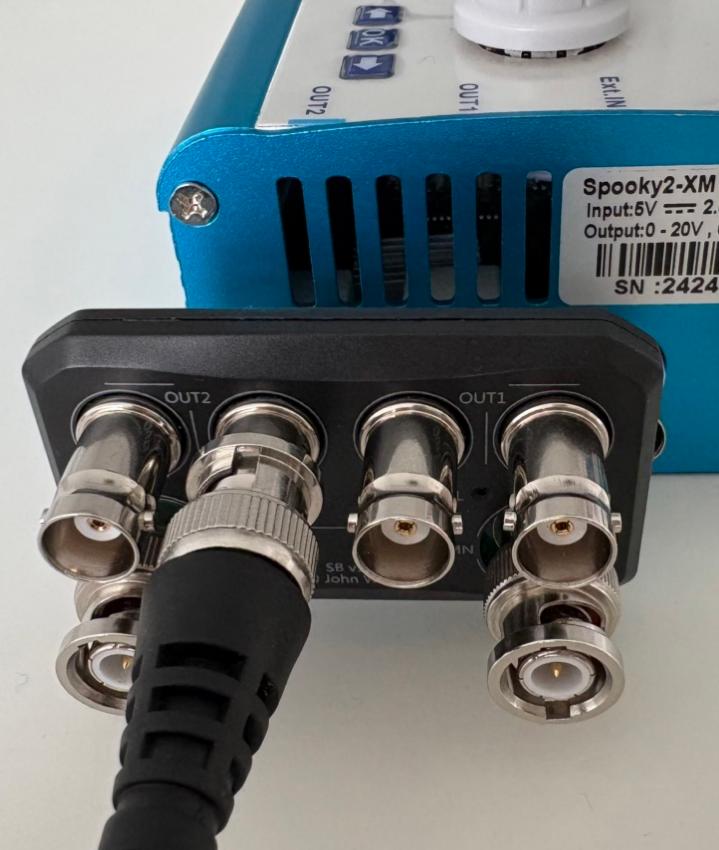
- Connect Spooky2 Boost to the Out1 and Out2 ports of the generator (four Booster output ports on top after connection).
- Connect the TENS cable to the High Power port on the Boost and attach the TENS pads to your right wrist and left ankle.
- Connect the Spooky2 Pulse to the computer’s USB port (Do NOT use a USB hub) and attach it to your finger or earlobe.
Software Operation
- Turn on the generator and open the Spooky2 Software.
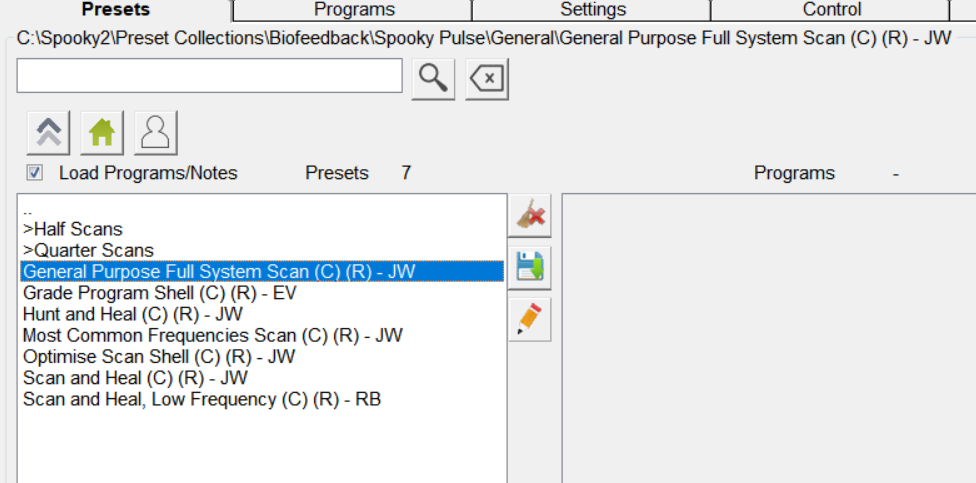
- Go to the Presets tab. Select >Biofeedback>Spooky Pulse>General>General Purpose Full System Scan
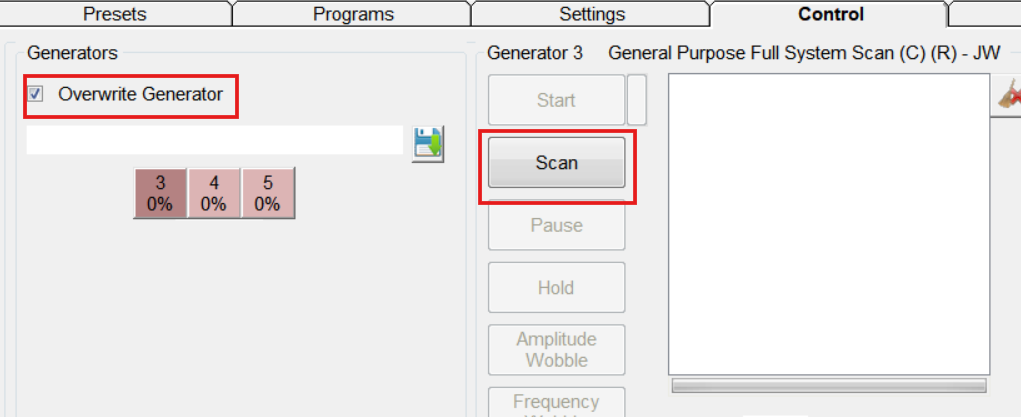
- Go to the Control tab. Tick Overwrite Generator. Choose the corresponding port number to load the preset. Click on Scan to start.
- When the scan completes, your scan results will pop out in a new window. You can save the results and run them afterwards. Read more on what to do with your scan results here https://www.spooky2-mall.com/blog/what-to-do-with-spooky2-biofeedback-scan-results/
For video demonstration, please visit https://www.youtube.com/watch?v=nOgvVFSgoyE
Tips
- During the scan, lie down flat on a comfortable bed. Please remain still and relaxed throughout the scan.
- For better results, it is recommended to wear the ear clip on your left ear or wear the finger clip on the middle finger of your left hand. You can refer to this video https://www.youtube.com/watch?v=8WcLmaqSM7E
- As digestion takes up energy, it is best to start your scan at least two hours after your last meal. Stay hydrated and attend to bathroom needs before you start.
- Pause or stop all other generator(s) during the scan.
- Turn off your cell phone and remove it from the room before the scan.
- Scans cannot be paused once started. You will have to start again if your scan is interrupted. You can use quarter/half scans if a full-system scan’s duration is too long for you.
- Do NOT place your TENS pads anywhere above your shoulders, near the heart, over the joints, or on hairy or wounded skin. Do NOT use Spooky2 pulse scan if you have electrical implants such as a pacemaker.
Frequently Asked Questions
Can I use XM Generator for other scanning modes like Sample Digitizer?
No. The only BFB scan mode available for Spooky2 XM Generator is the pulse scan.
How long does a Pulse scan take? Why does my scan last longer than the estimated duration?
A standard Pulse scan typically takes approximately 1 hour to complete. However, it is normal that your actual scan duration is longer than estimated as Pulse scan is very sensitive to heart rate changes. It may need longer to gather enough valid reads. Further explanation is available here https://www.spooky2-mall.com/blog/why-is-the-real-scan-time-longer-than-the-estimated-scan-time/
How can I test if my Spooky2 Pulse is working properly?
Here is a simple test:
1. Load your desired BFB preset
2. Attach the Spooky2 Pulse. Adjust the sensor until the red light on the Spooky2 Pulse device blinks strongly to match your pulse.
3. Set the Start Delay field in the Biofeedback pane to 0. 
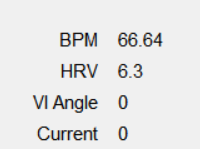
4. Click the Scan button. If the BPM and HRV fields are showing a minus sign (-), it means that you are not getting a good read from the Spooky Pulse. Adjust the sensor until you see numbers.