

Spooky2 offers four primary biofeedback scanning methods: Pulse scan, TENS scan, Sample Digitizer scan, and Scalar Digitizer scan. This article provides a comprehensive guide to performing a TENS scan with a Spooky2 GeneratorX Pro.
How It Works
Spooky2 TENS scan identifies frequency “hits” by transmitting signals through the body via TENS pads and monitoring real-time changes in electrical patterns. When a specific frequency resonates with a pathogen or biological stressor, it triggers a subtle shift in electrical feedback, which the system then records as a “hit.”
Hardware Requirements
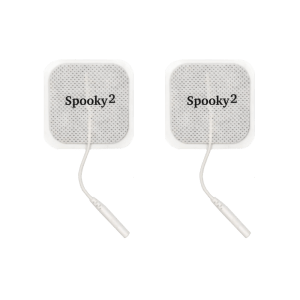
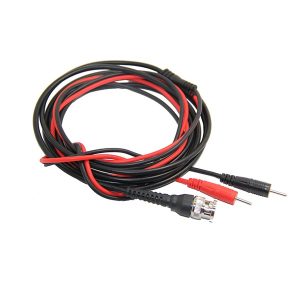
1 Windows System laptop, 1 Spooky2 GeneratorX Pro, 1 set of Spooky2 TENS pads & cables
Step-by-Step Operation
Hardware Connection
- Insert the pins of the TENS cable into the plugs of both TENS pads.
- Connect the TENS cable directly to the OUT1 port of G1 or G2.
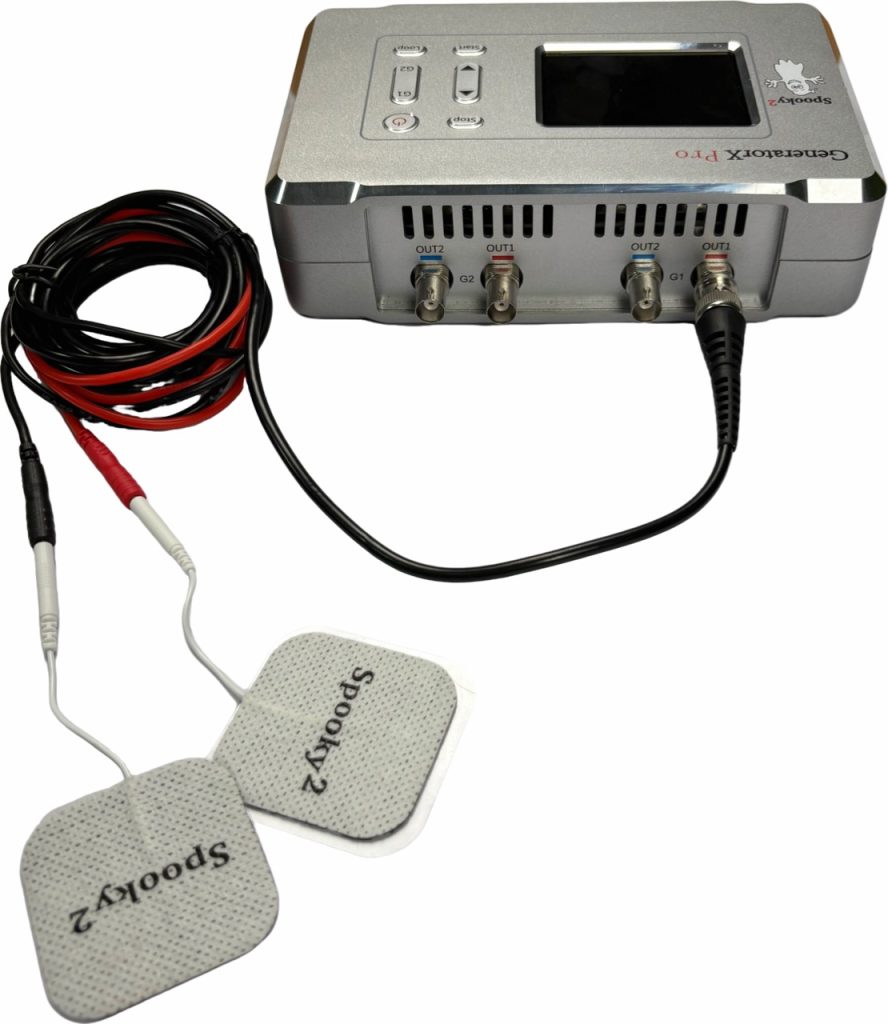
- Attach the TENS pads to the area you would like to scan. For a general BFB scan, place the TENS pads on the sides of your torso. For a localized scan, place the TENS pads as close to the area as possible and make sure that the current can flow through the area.
- Connect the Generator to the computer’s USB port and the 12V power supply.
Software Operation
- Turn on the Generator and launch the Spooky2 Software.
- Go to the Presets tab. Select >Biofeedback>GeneratorX>GX General Biofeedback Scan (C) – JW

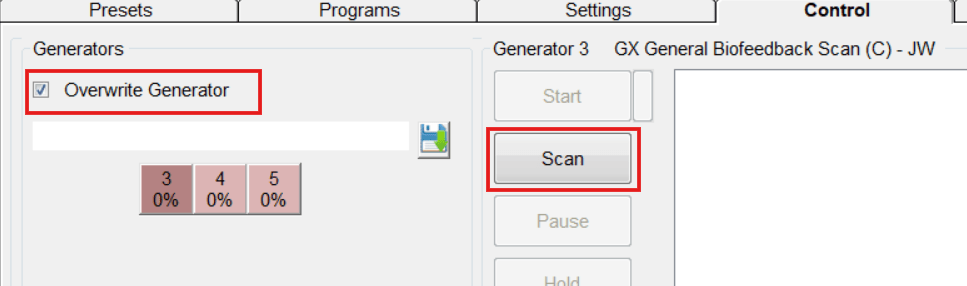
- Go to the Control tab. Tick Overwrite Generator. Choose the corresponding port number to load the preset. Click on Scan to start.
- When the scan completes, your scan results will pop out in a new window. You can save the results and run them afterwards. Read more on what to do with your scan results here https://www.spooky2-mall.com/blog/what-to-do-with-spooky2-biofeedback-scan-results/
For video demonstration, please visit https://www.youtube.com/watch?v=9Vvf3vOkkMA
Tips
- Stop all other treatments when doing a biofeedback scan. Do not run other programs on the same generator during the scan.
- Do NOT use TENS scan if you have any electrical implant such as a pacemaker. And do NOT place your TENS pads over the heart area or anywhere above your shoulders.
- To prevent skin irritation or electrical burns, replace your TENS pads immediately once they show signs of wear or loss of adhesion.
Disclaimer: Spooky2 biofeedback scan is not a substitute for medical diagnosis. Reverse lookup results are for informational purposes and do not indicate the presence of actual medical conditions.
Frequently Asked Questions
How long does a TENS scan take?
A standard TENS scan usually takes 7-20 minutes to complete.
Can I use an XM Generator to perform a TENS scan?
No. TENS scan is only compatible with GeneratorX (Pro).
Do I need a boost to perform a TENS scan?
No. A boost is not required for a TENS scan. Simply connect the TENS cable directly to the OUT1 port of either the G1 or G2 generator on your GeneratorX Pro.
Can I use hand cylinders for TENS scan?
We recommend using TENS pads for best results as they can provide the steady contact needed for an accurate scan. Hand cylinders would have to be held with absolutely consistent firm pressure to collect sufficient feedback throughout the process, which is challenging for most users.

Hello… How do I retrieve my bio-Feedback results to run as a “Kill & Heal” ? & Thank U!
Hi! You can retrieve your previous BFB results by clicking on the Analyze button at the right bottom of the Control panel. Then you can save that result as a BFB program and run it with a shell of your choice.
All these 10 numbers do they mean anything? Is there an interpreter as to what they are harmful to the body? Or spooky2 just detects the frequencies and deals with it
Hi Daphne. These 10 results represent the frequencies your body had the strongest response to during your biofeedback scan. Spooky2 detects these unique frequencies to help you build a customized frequency program.