

Spooky2 MW programs are a collection of frequency programs derived from the mono-isotopic mass of different substances. Since their introduction in 2016, MW programs have consistently received positive feedback from our community. In this guide, we’ll learn how to find and use existing MW programs in the Spooky2 software, as well as how to create your own MW programs for substances of interest.
How to Find and Use MW Programs
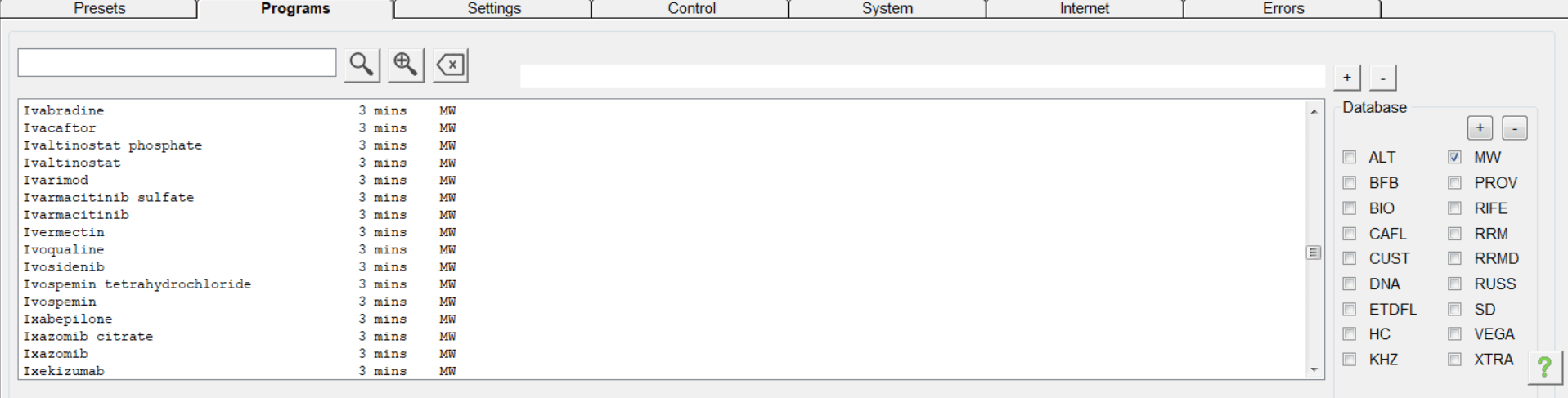
Spooky2 MW programs are located in the MW collection of the main database. You can find them under the Programs tab. If you have difficulty finding a specific substance, try searching by its substance name instead of trade name.
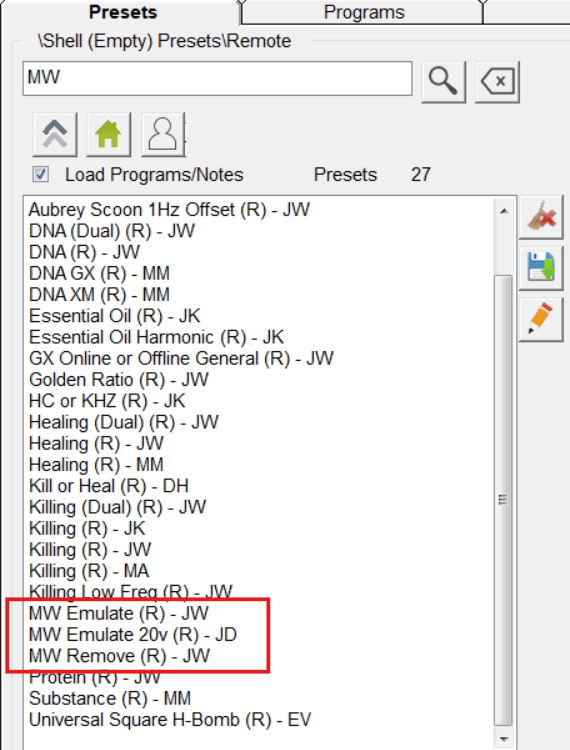
Once you find the MW program you want to use, you can apply it with an MW Emulate or MW Remove shell in Contact, Remote, PEMF or Plasma mode. The Emulate preset is designed to emulate the function of a substance, while the Remove preset is designed to suppress its function. For scalar application, you can use the Spooky Scalar General (SS) – JW shell.
Although each MW program contains the frequency for a single substance, you can load multiple MW programs into the same MW shell. Please note that MW shell presets are designed specifically for the very high frequencies used in the MW database. Lower-frequency programs will not function correctly when used with these shells.
There are also several ready-made MW-based presets in the Presets library that can be loaded and run directly. One popular example is Multi-Vitamin and Mineral (R) – JW, a timed preset containing frequencies of essential micronutrients, vitamins, and minerals.
How to Make Your Own MW Programs
Although the current MW database covers an extensive range of substances, you may still want to add additional substances of interest. You can create your own custom MW programs by following a few simple steps.
Step 1: Find the Substance
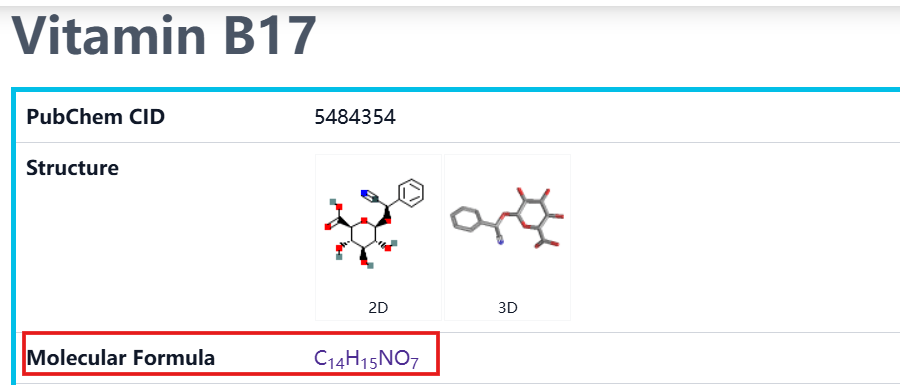
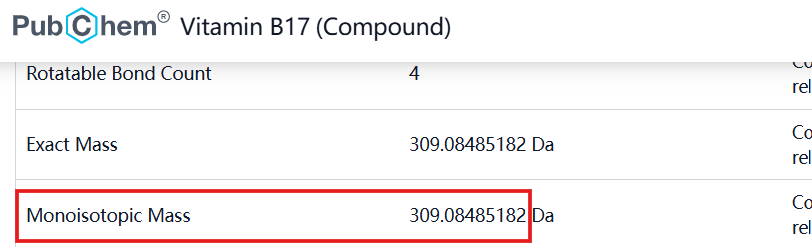
To create a custom MW program for a specific substance, you first need to find its mono-isotopic mass or molecular formula. This information can be found on databases such as PubChem (https://pubchem.ncbi.nlm.nih.gov/). For example, Vitamin B17 (Laetrile) has a a molecular formula of C₁₄H₁₅NO₇ and a mono-isotopic mass of 309.08485182.
Step 2: Create a Program in Spooky2
There are two ways to create a custom MW program. (See how to create a custom program here)
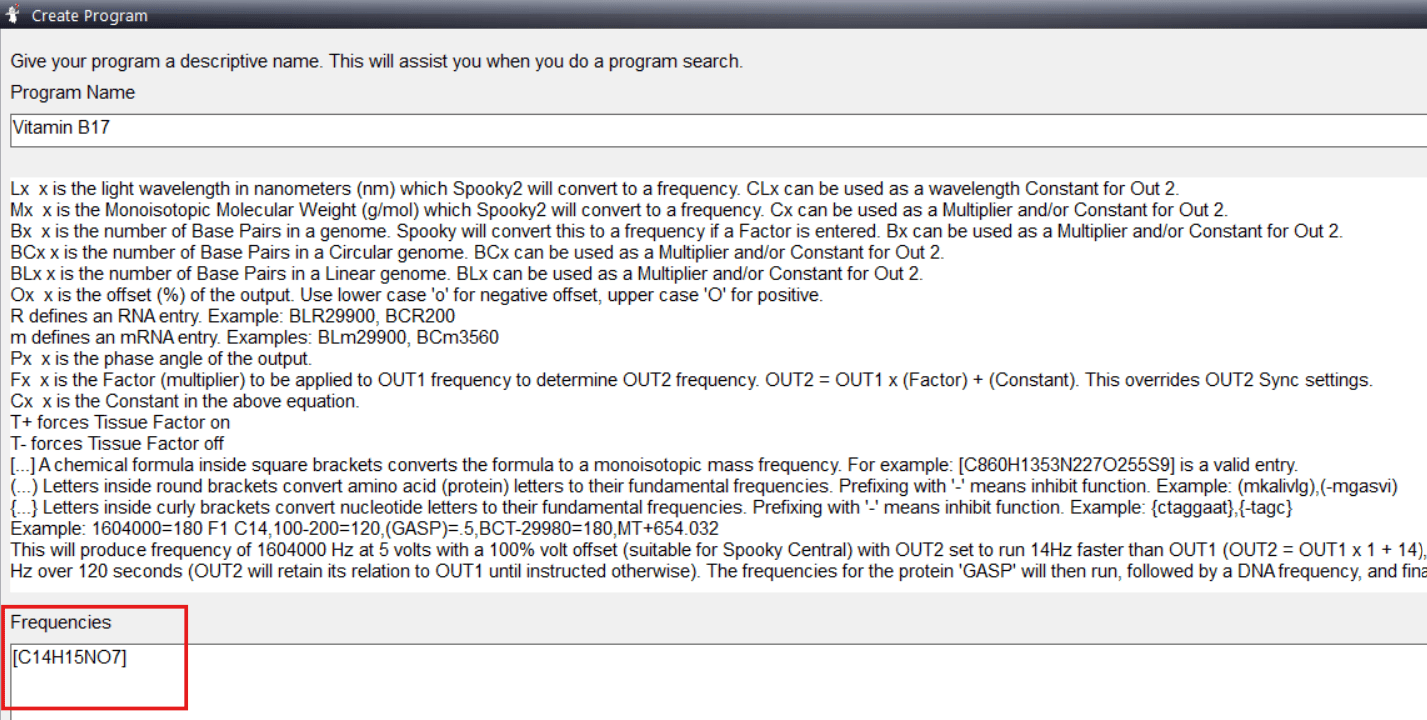
In the Frequencies section of the Create Program panel, you can either:
- Enter the substance’s molecular formula enclosed in square brackets, for example, [C14H15NO7]. Spooky2 will automatically calculate the MW frequency based on the formula you enter.
- Enter the letter M followed by the substance’s molecular weight, for example, M309.08485182.
After creating the program, save it to your CUST database.
Tips
- MW programs are designed to transmit the informational pattern or energetic information associated with specific substances. They do not contain the substances themselves and should not be interpreted as “digital doses.” Increasing the amplitude or extending the run time does not necessarily increase the “dosage.”
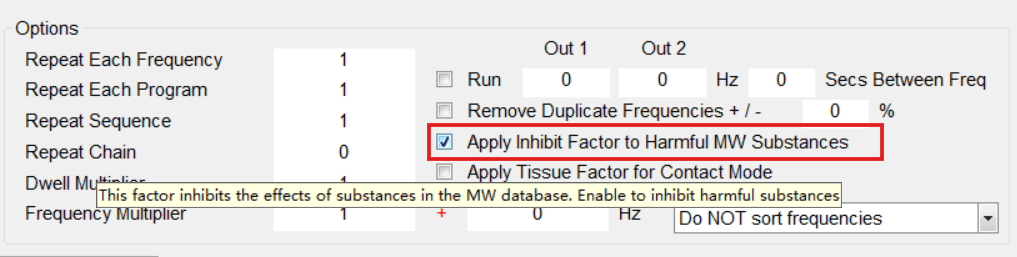
- When using an MW program to “remove” or “suppress” a potentially unwanted substance, it is recommended to apply Inhibit Factor under the Programs tab.
- Always pay close attention to your body’s response and pause your session whenever you feel necessary. When working with programs related to substances such as drugs, it is recommended to use modes other than Remote so that you can better observe your response and pause promptly if needed. For the same reason, avoid stacking too many strong substance programs at the same time.

Até quantas substâncias podemos frequenciar de uma só vez?
Hi Claudia. There isn’t a strict limit on how many substances can be used together. However, we recommend starting slowly and introducing them gradually, so you can better observe how you respond to each one and adjust your usage accordingly.