As you explore more features in the Spooky2 software, you might come across something called “DH Presets.” Some users aren’t sure where to begin—or whether they’re even necessary. This blog is here to answer some of the most common questions about DH Presets. Whether you’re just curious or looking for new options in your healing routine, this guide will help you understand what DH Presets are and how to explore them at your own pace.
Section 1: What Are DH Presets? Why Should You Revisit Them?
1.1 Overview
Developed by frequency expert David Halliday, DH Presets are structured healing protocols designed to address long-term wellness across multiple levels—physical, emotional, energetic, and spiritual. They’re especially helpful for users seeking deeper, more systematic support beyond the basics.
1.2 Can’t Find DH Presets? You Might Not Have Downloaded Them Yet!
Many users assume DH Presets come pre-installed in Spooky2, but they’re optional resources that require manual download and setup.
Section 2: Which DH Presets Are Most Worth Exploring? (With Codes and Use Cases)
Many users have found breakthroughs when they explore the DH presets by theme. Below are some of the most frequently used presets, along with real-world feedback and healing outcomes.
Reported Benefits:
- Relieved persistent toothache
- Stopped gum bleeding
- Dissolved dental plaque and tartar buildup
🔗 Full Testimonial
Reported Benefits:
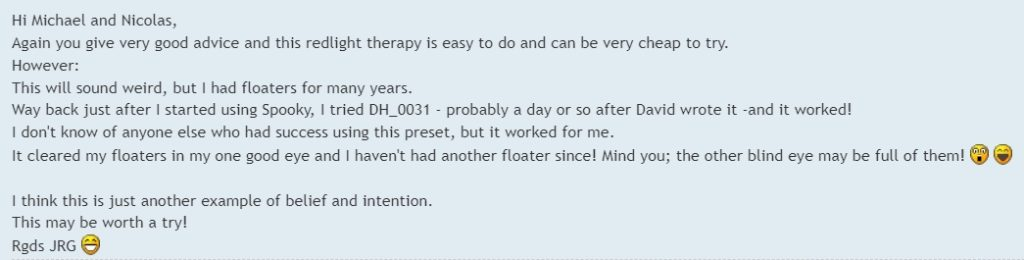
- Eye floaters in the healthy eye were completely cleared
- No recurrence for years after treatment
🔗 Full Testimonial
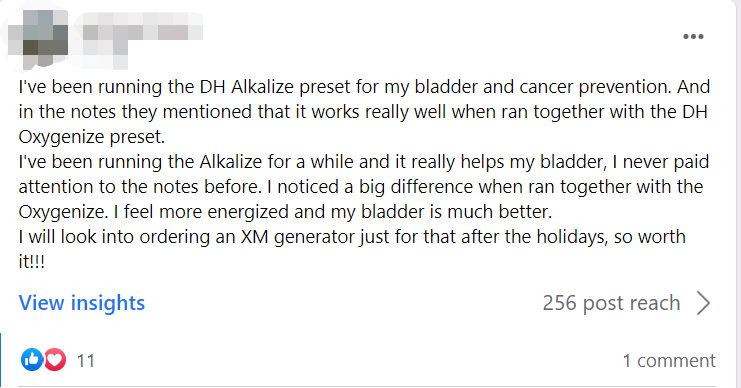
Method: Initially ran Alkalize alone, later paired with Oxygenize as suggested in preset notes
Reported Benefits:
- Noticeable improvement in bladder symptoms
- Significant energy boost after using both together
🔗 Full Testimonial
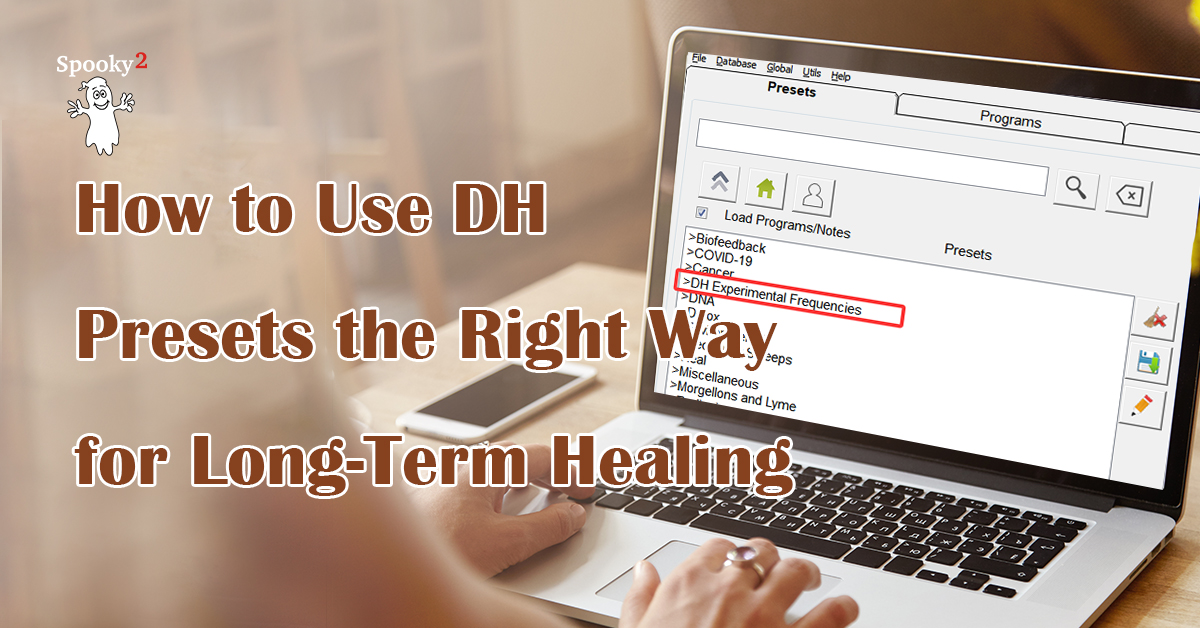
💡 Tip: These are just a few examples. Open your Spooky2 software, navigate to the DH Experimental category, and browse all available presets. You might find one that intuitively feels right for your current needs, and that could be your next step in healing.
Note: DH Presets are compatible with all transmission modes.
Preset Tab Indicators: Preset types are indicated as follows:
- (Coil) = PEMF Mode
- (C) = Contact Mode
- (P) = Plasma Mode
- (R) = Remote Mode
- (SS) = Scalar Mode
- (CL) = Cold Laser Mode
If you’d like to explore the full range of DH Presets and their classification, these two documents provide in-depth information:
Section 3: Frequently Asked Questions
Q1: How can I load multiple DH programs to GeneratorX (GX)?
The GenX Pro cannot run multiple DH presets as a chain in standalone mode (without being connected to a computer). In offline use, each program or preset must be loaded and run individually. To do this:
- Manually load each DH preset into a memory slot on the generator, one at a time.
- Run them one by one, since GX can only execute a single program at a time when offline.
Tip: If you regularly use multiple DH presets, consider keeping your GX connected to a computer. This allows you to run preset chains directly from the Spooky2 software, enabling automatic switching without manual intervention. For detailed steps on how to load and run individual presets, check this blog tutorial:
How to Load and Run Terrain Protocol Using GeneratorX
Q2: Why does David recommend placing the remote next to the left arm in the context of Spooky2 software’s DH Experimental Frequencies in Remote Mode?
A: David recommends placing the remote next to the left arm because it works more effectively when inside the individual’s Auric Field. The left forearm is considered the correct input polarity for the uptake of subtle energy. This positioning enhances the effectiveness of the healing process. While using DNA inside the Remote is still necessary for distance healing, positioning the remote in this way optimizes energy transfer and healing efficiency.
Q3: I’m not sure what the difference is between a program and a preset. Can you explain?
A: Sure! A program is simply a list of specific frequencies for a particular issue. For example, if you search “Teeth,” you’ll see related frequency sets listed. A preset, on the other hand, is a complete setup that includes not only the frequency program but also settings such as waveform, duration, carrier, and transmission mode. It’s ready to run with all parameters configured for you.
Conclusion
Already tried a DH Preset? Feel free to share your story or how you set it up—your experience might be just what someone else is looking for.
Want to hear more from others and exchange ideas?
You’re welcome to join our official Spooky2 Facebook Group and connect with thousands of users worldwide:
👉 Join the Community


Hi
If it’s not practical to sit with the remote within the Aura, what is suggested for the number of cycles to run a remote for the ones that say to repeat 1,2-3 times?
Isn’t the purpose of remote to be basically anywhere? I’m wondering why you wouldn’t just do contact if you have to sit with the remote by your left arm.
Great question! Yes, Spooky2 Remote works no matter where you are—you don’t need to sit near it. It uses quantum principles, so distance doesn’t reduce its effectiveness.
The suggestion to place the Remote near your left arm is just a gentle tip—some believe the left side receives energy better—but it’s not required. You can place the Remote anywhere.
If you prefer direct and stronger stimulation, Contact mode is great, but it does require you to stay close to the generator. Both modes have their advantages, and you can choose what works best for your routine.
You can learn more here: Remote Healing Blog
http://www.spooky2-mall.com/blog/cat/remote-healing/
Let us know if you have more questions!