

Overview
- Do not use Contact mode if you are pregnant.
- Do not use Contact mode if you have a pacemaker or other electrical implants.
- Use Contact mode presets only, i.e. presets with a (C).
- Do not use a 100% offset for Contact mode.
- Do not use more than one set of Contact accessories on your body at a time.
- Always keep the TENS cable dry.
- If you feel any discomfort during the treatment, stop immediately.
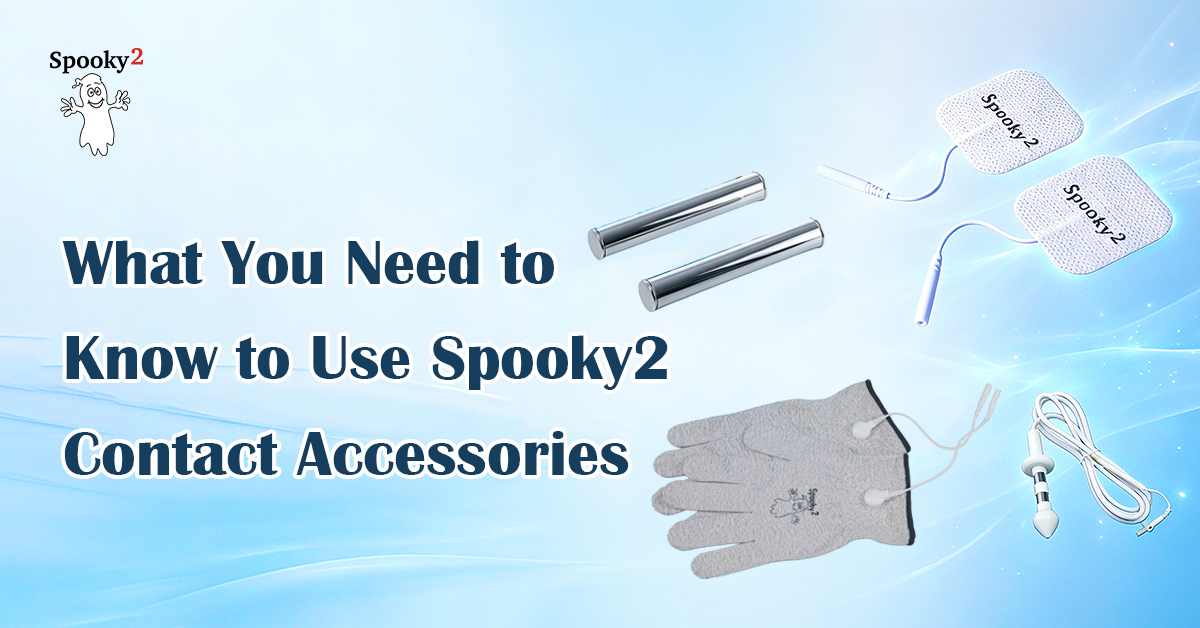
The table below explains the connection requirements and placement instructions for different Contact accessories.
| Accessories | Spooky2 Boost | Port | Placement |
|---|---|---|---|
| TENS Pads | Yes (No if doing GX Pro TENS scan) | High Power (Out 1 directly for GX Pro TENS scan) | Below the neck. Avoid the heart, joints and hairy/damaged skin areas. |
| Contact Kit | Yes | High Power | Hands, feet, limbs, large joints such as knees |
| Internal Electrode | Yes | Colloidal Silver | Anal canal or vagina |
| Stainless Hand Cylinders | Yes | High Power | Hand-held or in a footbath basin |
Tips for Specific Accessories
TENS Pads
When using TENS pads for localized treatment, place them as close to the concerned area as possible to let the current flow through.
When doing full-body treatment or Pulse scans, place the pads on your left ankle and right wrist. Read more on how to perform a Pulse scan here.
When doing a general GX Pro TENS scan, connect the pads directly to the Out 1 port of your generator and place the pads on the sides of your torso. Read more on how to perform a TENS scan here.
Never place the TENS pads above or on the front of your neck. Avoid the heart area.
Do not apply TENS pads on wet, hairy, or damaged, irritated skin.
Do not apply TENS pads directly on the joints. Use Contact Kit accessories instead. Contact Kit accessories can be worn on hands, feet, limbs, or large joints.
Pads should be replaced regularly to maintain proper contact and conductivity and to avoid burns.
Internal Electrodes
Spooky2 Internal Electrodes can be inserted into the anal canal or vagina for localized support. When using an Internal Electrode, connect it to the Colloidal Silver port of the Spooky2 Boost for gentle support.
Insert the Electrode gently. We recommended using gel or water for easier insertion and better conductivity. But do not let the gel or water touch the cables or connection points.
Choose a comfortable position before insertion. It is best to stay still during your session.
Always clean the Internal Electrode before and after each use for sanitary reasons. You can clean it with an antibacterial wipe or with warm soapy water. Rinse and dry the electrode thoroughly. Be careful to keep the wires dry. Do not immerse the Electrode in water.
Stainless Hand Cylinders
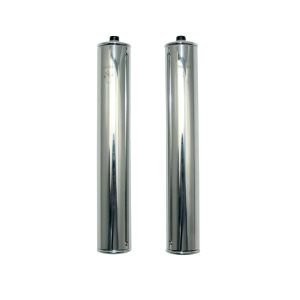
The connection of Hand Cylinders is similar to other Contact accessories. Simply grip them with your hands during your session.
Spooky2 Stainless Hand Cylinders can also be used for detox footbaths. You can use Footbath Detox (C) – JW from the Presets library. For step-by-step demonstration, you can refer to this video.
Frequently Asked Questions
Add Your Accessories to Cart Today
-
Contact Accessories for Rife Machines, Rife Machine Accessories
Spooky2 Tens Pad
Spooky2 Tens Pad 50mm diameter with 2mm plug :
Self-adhesive, reusable electrodes.
20 pieces.
Standard size 50mm diameter
With 2mm plug.The newly developed carbon film with extremely low impedance values ensures the efficient transmission of the stimulation impulses.
Spooky2 Tens Cable needed to connect Tens Pads to generator can be ordered here: https://www.spooky2-mall.com/product/spooky2-tens-cable/
 SKU: SP-2G226-02
 -
Contact Accessories for Rife Machines, Rife Machine Accessories
Spooky2 Large Tens Pad
Spooky2 Large Tens Pad
Spooky2 Large TENS Pads provide better contact with your skin and allow for larger application areas, making Contact sessions more comfortable. Large TENS pads are ideal for most instances.
Spooky2 Tens Cable needed to connect Large TENS Pads to the generator can be ordered here.
SKU: SP-2G226-03 -
Contact Accessories for Rife Machines, Rife Machine Accessories
Spooky2 Tens Contact Kit
This is a kit to bring you more convenience and flexibility when doing Spooky2 Contact sessions.
Spooky2 TENS Contact Kit contains silver-impregnated gloves, socks, and stretchable bands, which can be worn easily during long sessions.
Simply connect these accessories to the High Power port of your Spooky2 Boost and enjoy the energy-balancing frequencies.
Spooky2 TENS cable needed to connect the contact kit to the generator can be ordered here.
SKU: n/a -
Contact Accessories for Rife Machines, Rife Machine Accessories
Spooky2 Tens Internal Electrode
Spooky2 Internal Electrodes can be inserted to provide targeted, localized support. The softly curved shape and narrow neck assist with easy insertion and comfortable use, while the external flange ensures precise retention and placement.
Connect it to the Colloidal Silver port of the Spooky2 Boost for gentle support.
Spooky2 Tens Cable needed to connect internal electrode to generator can be ordered here.
SKU: SP-3G220-04 -
Contact Accessories for Rife Machines, Rife Machine Accessories
Spooky2 Stainless Hand Cylinders
Spooky2 Stainless Hand Cylinders are perfect for both regular contact mode and foot baths. Enjoy convenient frequency sessions with top-grade stainless cylinders.
Connect to Spooky2 Boost 3.0, or directly to our Spooky2 XM Pro Generator if less power is required.
Spooky2 Tens Cable needed to connect hand cylinders to generator can be ordered here.
SKU: SP-3G220-09


-
-
Power & Connection Accessories, Rife Machine Accessories
Spooky2 Boost v3.1
The new and improved Spooky2 Boost v3.1
- Boosted power for either Spooky2 Remotes, contact mode, or PEMF coil operation
- Regular sockets for lower power use.
- Colloidal Silver socket for making top-grade Colloidal Silver.
- Safely make true Colloidal Silver that is fresher and better than most commercially available products, at a fraction of the cost.
- Safe extended-period Contact Mode energy balancings.
Advantages of the new Spooky2 Boost include:
- Stylish design
- More compact
- Indication lights
Spooky2 Summer Healing Month Sale!
7% OFF Sitewide – Use Code: Healing2026
SKU: SP-3G500-03


