


Since the launch of Spooky2, we have received many inquiries about Spooky2 Biofeedback Scans. One thing that our users care about most is its accuracy. Therefore, Spooky2 released Baseline to help users get better scan results. What is Baseline? What makes it magical? Continue reading to learn more.
What Is Baseline
Baseline is a preset that automatically removes all electrical noise from the signal. When no sample is found during a biofeedback scan, Baseline is a terrific tool to help you determine the signal over the scan. Performing a baseline right before a scan can greatly improve the results. For example, some may worry about Wi-Fi signals, electrical sounds, and other problems that could affect the scan results. However, doing Spooky2 Baseline before the scan can help the system ignore these disturbances and produce the most accurate scan results.
How Does Baseline Work
Baseline is a standard GX Pro biofeedback setup for contact mode. During the Baseline, the TENS pads are placed on the body without targeting any specific area, and a scan is performed to record background and environmental noise. This creates a clean reference point, so that the only differences detected in the actual biofeedback scan come from the body’s response, not from external interference.
How to Use Baseline?
Hardware preparation:
A USB Cable
A Power Adapter
A Spooky2 GeneratorX Pro
A Spooky2 TENS Pads
A Spooky2 TENS Cable
Steps:
Here are the instructions for Baseline and the following biofeedback scan
To do Baseline:
Step 1:
Find Baseline in the biofeedback scan panel under the Control tab.

Step 2:
Set up your Spooky2 correctly, and connect the TENS pads to your GeneratorX Pro. Place two TENS Pads where you want to scan and turn on your GeneratorX Pro. John discovered a new way to improve the accuracy of the Baseline scan. Click here to know more.
Step 3:
Go to the Preset tab > Biofeedback > GeneratorX > Select a preset you want to run. We suggest using GX General Biofeedback Scan(C)-JW preset.

Click Overwrite Generator and click the correct generator port.
Click Baseline in the biofeedback scan panel.
Wait until the button beside “Baseline” turns green, which means it is finished.
To do a biofeedback scan:
There are two easy ways for you to do a biofeedback scan. You can choose one of them based on your needs.
1.Place two pads in the desired scanning location or the problem area in your body, such as putting them on either side of your waist to scan your kidneys.

2.Place the sample in the Sample Digitizer.
Click scan to start a biofeedback scan.
Notes:
A Pulse scan cannot use Baseline.
Don’t alter any of the parameters after Baseline starts.
To know more about the proper operating procedures, watch this video https://www.youtube.com/watch?v=bGa9aD6RtGY.
For more information about where to place the TENS pads, please read this blog:
https://www.spooky2-mall.com/blog/how-to-place-tens-pads-while-doing-biofeedback-using-generatorx/
Testimonial from Our Customers
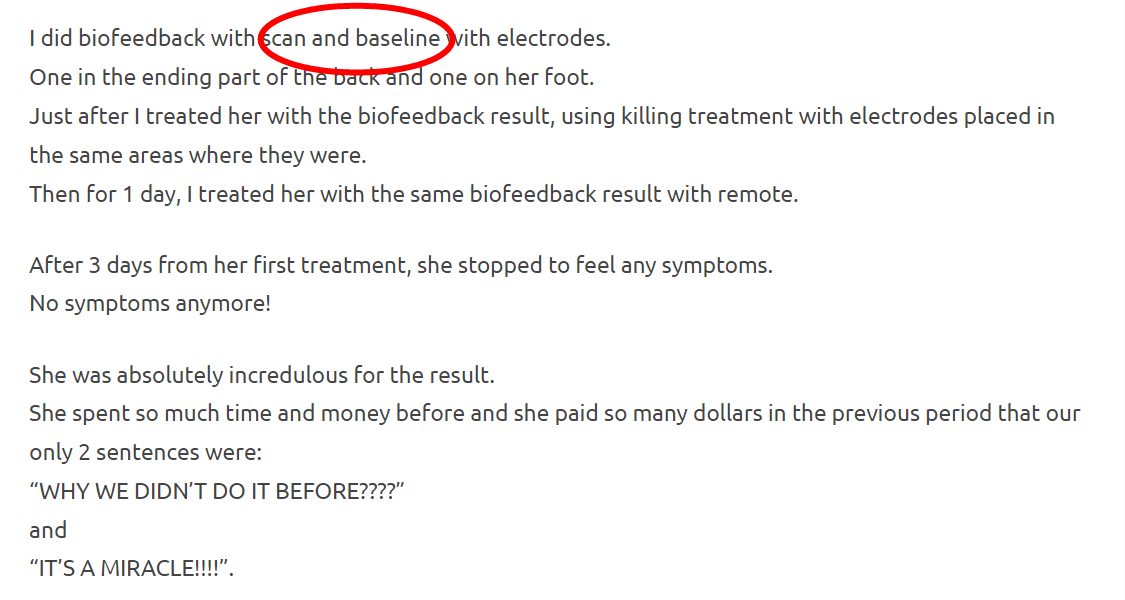
Many customers reported positive feedback after having their Spooky2 biofeedback scans. We are thrilled to hear that one of our customers used our product to treat his friend’s foot pain effectively.
Click here to find more: https://www.spooky2reviews.com/spooky2-biofeedback-scan-brought-me-miracle/
Conclusion
Biofeedback scans can help identify your issues and address them accordingly, and Baseline will make this identification process more accurate and efficient. They will make your journey to better health much easier.
What are you waiting for? Pick up your GeneratorX Pro and give it a shot to experience the brilliance of Spooky2 Biofeedback Scan and Baseline. Click here if you need any of the accessories.
Please feel free to comment here or contact our customer support if you need assistance.

I have Atrial Fibrillaion. Support indicated to only use remote. Is it possible to do a Baseline scan without Tens pads?
Dear Erina, Baseline is a terrific tool to help you determine the signal over the scan. Performing a baseline right before a scan can greatly improve the results. We recommend you can use sample digitizer to do a Baseline, then do a biofeedback scan. Here is a video about what I mentioned: https://www.youtube.com/watch?v=bGa9aD6RtGY. Hope it helps.
I thought I understood the wonderful biofeedback capabilities of the Rife but this writeup confuses me and prompts a number of questions.
1. The popup menu shown in Step 3 doesn’t match what my software has. Is this due to a newer version of the software illustrated in your writeup or is mine the latest rev?
a. For example, in Presets, I click on “Biofeedback”, “GeneratorX”, and this is the menu that comes up: (sorry I can’t paste this image here).
b. Then I click on “GX General Biofeedback Scan with Baseline” and “GX Refine Programs” and go to “Control” to start the scan.
c. In the writeup, you run the Baseline first and then do the General Biofeedback scan. With my software both of these are done together (“GX General Biofeedback Scan with Baseline”). I assume my software performs the Baseline scan first and then the General scan. Is this correct?
d. Also, your writeup doesn’t show the “GX Refine Programs” option being used. In other Spooky writeups, it recommends using the “GX Refine Programs” option to improve my biofeedback results. Is this right and should I continue to add this option to my scans?
e. The menu in your Step 3 doesn’t provide the “GX Grade Scan” feature. Why is that?
2. Since the General Biofeedback scan tests all available Rife frequencies in the database on my computer, how often should I update that database for new programs? In other words, are new programs added to the Spooky database continuously or in a batch periodically? If the latter, how often does this happen?
Dear Tom, so sorry to make you confused. The screenshot of step3 in the blog is from the old version of the software, so it doesn’t appear GX Grade Scan. We’ll update this screenshot soon. When you click GX General Biofeedback Scan with Baseline, it will perform a Baseline before running a single scan. What you think is right! For GX Refine Programs, each frequency will be inspected twice, further increasing accuracy, You can decide whether to run this preset or not. And for your second question, biofeedback scan monitors your body and finds out which frequencies work best for your body. we suggest you run the results about 7-10 days, then scan again. Thanks for your support and understanding! Any questions, feel free to contact our email: support@spooky2-mall.com. 🙂
Will the scan hunt AND kill at the same time or do u have to go back and work on each of the frequencies? (Can u work on all frequencies at once or just one problem at a time)
Dear Sarah, The Hunt and Kill preset runs automatically until it is actively stopped or until no hits are found, then it continues to improve the findings of the initial scan. Here is a blog about hunt and kill: https://www.spooky2-mall.com/blog/hunt-and-kill-in-spooky2-biofeedback-scan/. Hope it helps.
I assume Bach Flower frequencies are for healing (not killing) and, therefore, a grade scan won’t be valid for them. Is that right?
Dear Tom, yes, you’re right. Programs for healing, organ/system support, or detox should not be used with Grade Scan.
Hi there, does Baseline work with XM generators? Or does it only work with the Gen X Pro? Thanks.
Dear Sandra, baseline only work with GX/GXPro.
Hi there,
I am conducting Biofeedback and am finding it difficult to locate the matching condition of the frequencies that were identified on my bio feedback.
Are you able to assist me to locate where the frequency numbers for Biofeedback in relation to the identified condition be located.
Dear Nina, so sorry to make you confused, maybe you can get more information about what to do after biofeedback scan from this blog: https://www.spooky2-mall.com/blog/what-do-we-do-after-we-get-results-from-biofeedback-scan-using-spooky-pulse/. Hope it helps. Any questions, feel free to describe your problem with picture ou video to our email: support@spooky2-mall.com. Here we’ll provide you with more detailed help. Thanks for your support and understanding.
Biofeedback with GenX is a VERY Important thing. I’m using 20240519 Spooky Software. In my opinion, this write-up is extrememly faulty. Examples; 2 DP Max does not exist. You cannot see anything on the Control screen unless a) you have the genx connected AND it is turned on, b) that you have checked the “overwrite generator” and then selected a generator. Then, after clicking clicking the baseline button, it starts a long scan and after several minutes, the green button to the right of the baseline button turns green and the scan keeps scanning leaving no oppurtunity to take the two Tens Pads apart and stick them on your body. This document in my opinion really adds extreme confusion to something that is one of the most important parts of the Spooky2 System. PLEASE CREATE A VALID WRITEUP, HAVE AT LEAST 3 OF YOUR CERTIFIED TRAINERS VERIFY ITS ACCURACY and then republish it.
I would also like to see this article re-written or vetted by a Gold Certified Spooky2 Trainer. As Patrick mentioned above, sticking the TENS pads together and running the scan means there’s no time to take them apart to put them on my client – the program runs continuously without pause to do this.
It would also be helpful to show more photos of things like where the contact cable is connected on your GenX Pro (lots of people don’t know where to connect cables and that they need to be connected to output 1 for the BFB scan).
I really appreciate the time someone put into this article, just feel that some very important steps are missed or were shared in a way that creates confusion, especially for beginners using this amazing equipment. Thank you!
Thank you for your message. We will include your suggestion in our plans. Have a nice day!
I agree with Patrick, his description is exactly what I see. I am running software package 20240115.
When running General Biofeedback with Baseline there is no opportunity to unstick the two pads and attach them to my body. When the baseline portion completes it simply without pause starts the actual scan. In the Notes for General Biofeedback with Baseline there should be detailed instructions for the correct procedure.
Please advise the correct procedure. I need to sure I am running baseline correctly. This is very important.
Thanks for your accurate and correct followup in advance.
Keep up the good work!
Hello friend.
Hardware part: First, connect Spooky2 generator to your generator using USB cable. Then connect the power adapter to the generator. For TENS scan, stick two pads together. Now, connect tens cable to G1 or G2 in GeneratorX. Turn on GeneratorX.
Software part: After the connection, open Spooky2 software. Go to Presets tab, click /Biofeedback and choose the preset according to your scan device. Go to Control tab, tick “Overwrite Generator”. Click “Baseline” button in the biofeedback scan panel. Wait a few seconds, and a baseline is created when you see this light turns green. Now, you can do the actual scan. Put tens pads on your body, Click “scan” to start your biofeedback scan.
Notes: 1. This feature can’t be used in Pulse scan. 2. Don’t change any parameters after Baseline.
Just put the tens pads on your body before the actual scan.
After our experiment, we found this way will make the scan results more accurate. You could refer to this blog:
https://www.spooky2-mall.com/blog/improving-the-accuracy-of-your-biofeedback-results/
After the baseline light turns green do you need to pause or stop the scan? Then attach the tens pads to the body and press start? Or do you remove the pads that were stuck together and place them on the body without pausing or stopping the scan? That is the confusing part for me. Thanks.
Dear Mary Fuller,
Thank you for your inquiry!
Once the baseline light turns green, there is no need to pause or stop the scan. Simply remove the two TENS pads that were stuck together during the baseline, and then place the TENS pads on your body without interrupting the scan. Afterward, press the Scan button to begin the biofeedback scan.
This process helps improve the accuracy of your results. To ensure the best results, keep the TENS pads as still as possible once placed on your body and proceed promptly after the baseline.
For more details, please check our guide on improving biofeedback accuracy [here]
(https://www.spooky2-mall.com/blog/improving-the-accuracy-of-your-biofeedback-results/?utm_medium=chat&utm_campaign=link-shared-in-chat&utm_source=livechat.com&utm_content=www.spooky2-mall.com).
Let us know if you have any further questions!
Best regards,
Spooky2 Team
What is the “baseline before bfb” button on the genx pro for?
Dear Marc Mulcahy,
Thank you for your question!
The Baseline Before BFB button on the GenX Pro is used to establish a clean reference signal before performing a biofeedback scan. It helps eliminate environmental electrical noise, ensuring that only meaningful responses from your body or sample are detected during the scan.
When you run a Baseline scan, the system records background noise without any sample. This allows Spooky2 to ignore disturbances like Wi-Fi signals and electrical interference, improving scan accuracy. Once the Baseline is complete, you can proceed with your biofeedback scan as usual.
If you have any further questions, feel free to ask.
Best regards,
Spooky2 Team