


Spooky2 Biofeedback provides a powerful, personalized approach to healing by scanning your body for energetic imbalances and optimizing your health. Whether you’re dealing with chronic conditions or simply aiming to improve your overall well-being, Spooky2 offers a range of biofeedback scans. It presents that can address a wide array of health concerns. In this guide, we’ll break down the different types of scans, presets and how to use them for maximum results. With this knowledge, you’ll be able to tailor your frequency treatment to meet your specific needs and enhance your health journey.
How Biofeedback Works
- Rife Frequencies: Harmful microorganisms and imbalances in the body resonate with specific frequencies, which can disrupt or eliminate them.
- Frequency Sweep: A biofeedback scan sends a frequency sweep through the body, targeting these imbalances or harmful agents.
- Stress Response: The body reacts to the frequencies with a stress response, which is recorded by the system.
- Scan Results: The system analyzes these responses to identify the most effective frequencies for healing.
- Tailored Treatment: The scan results are used to create a personalized program, delivering the required frequencies to support the body’s recovery.
For more detailed information on how biofeedback works, you can explore A Beginner’s Guide to Biofeedback Scans and Unlock the Healing Power of Scalar Biofeedback Scanning for Better Health. For more on Rife frequencies, check out this link.
Types of Biofeedback Scans
| Scan Type | Required Hardware | Connection Method | Advantages |
|---|---|---|---|
| Pulse Scan | XM Generator, Boost 3.1, TENS Pad, TENS Cable, Spooky2 Pulse | Must be connected to the body | Cost-effective |
| GenX Pro Fast Scan | GeneratorX Pro, TENS Pad, TENS Cable | Must be connected to the body | Supports localized scanning, fast speed |
| Sample Digitizer Scan | GeneratorX Pro, Sample Digitizer | Uses biological samples (e.g., urine, saliva, blood), no direct contact with the body | Remote operation, no physical contact required |
| Scalar Scan | GeneratorX Pro, Scalar Digitizer, Spooky2 Scalar | The person must sit in the energy field (compatible with biological sample testing) | Remote operation, no physical contact required |
Software Preparation
Once the hardware is set up, you can proceed with the software configuration:
-
Select a Scan: Choose the type of biofeedback scan you wish to run.
-
Run the Scan: After selecting your scan, click the “Scan” button and follow the software’s instructions.
For more on using Spooky2 Biofeedback software, check out What to Do with Spooky2 Biofeedback Scan Results.
Biofeedback Presets
Once you’ve completed your scan, Spooky2 will provide options to run presets that apply the frequencies your body needs. Below, we’ll use four presets from the Sample Digitizer Scan as examples to demonstrate how they target the most relevant frequencies for your condition.
1. General Biofeedback Scan (SD) – JW
How to Use:
- Load tissue sample into the Sample Digitizer.
- Connect to GX Out1.
- Load preset and select ‘Scan’.
Key Notes:
- Use Baseline for all GX biofeedback sessions.
- GeneratorX scans faster by detecting electrical signals.
- Enter a name in the Log Name field for easier record-keeping.
2. Grade Scan (SD) – JW
How to Use:
- Load tissue sample into the Sample Digitizer.
- Connect to GX Out1.
- Load preset and select ‘Scan’.
Key Notes:
- Best for pathogen testing; avoid detox programs.
- Frequencies are ranked by effectiveness.
- Enter a name in the Log Name field.
For more details on using the presets effectively, check out BFB Tool: A Preset Builder for Biofeedback Scan Results.
3. Hunt and Kill (SD) – JW
How to Use:
- Load tissue sample into the Sample Digitizer.
- Connect to GX Out1.
- Load preset and select ‘Scan. ‘
Key Notes:
- Targets mutated pathogens using repeated scans.
- It can be run overnight with TENS pads.
To explore how this preset works, you can refer to the blog Hunt and Kill in Spooky2 Biofeedback Scan.
4. Scan and Run (SD) – JW
How to Use:
- Load tissue sample into the Sample Digitizer.
- Connect to GX Out1.
- Load preset and select ‘Scan. ‘
Key Notes:
- Cycles between scanning and frequency application until stopped.
- Replace tissue sample daily.
Recommended Kits
-
All Product, Beginner Frequency Healing Rife Machine Kits, Frequency Healing Rife Machine Kits, Spooky2 New User Kits, Spooky2 Portable Kits, Spooky2 XM Generator Frequency Healing Rife Machine Kits
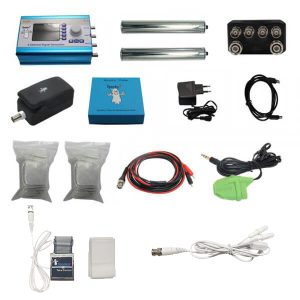
Spooky2 XM Generator Portable Starter’s Kit
 All Product, Beginner Frequency Healing Rife Machine Kits, Frequency Healing Rife Machine Kits, Spooky2 New User Kits, Spooky2 Portable Kits, Spooky2 XM Generator Frequency Healing Rife Machine Kits
Spooky2 XM Generator Portable Starter’s Kit
This kit has everything you need to set up your first Spooky2 rig.
The Spooky2 system is powerful, but it can also be confusing, with plenty of options and accessories available. Therefore, we have put everything you need into one convenient package. It is enough for you to start your first Spooky2 energy balancing journey.
If you are a Spooky2 beginner, you can start with this kit. It consists of one Spooky2-XM Generator, Remote mode, Contact mode, Cold Laser and Pulse Biofeedback.
Note: The Spooky2 software requires Windows.
Access Free Spooky2 Courses and Certified Trainer Services
Safe and Effective Energy Balancer
Start your body energy balancing journey with Spooky2 now! This is the best non-drug solution for your body energy balancing. We offer you a 30-day satisfaction guarantee, so you have nothing to lose.Information:
How to Use Spooky2 XM Generator Portable Starter’s Kit
Spooky2 Video Tutorial
Spooky2 Quick Guide
Why do we recommend using multiple generators?SKU: SP-1A30S-13 -
All Product, Beginner Frequency Healing Rife Machine Kits, Frequency Healing Rife Machine Kits, Spooky2 New User Kits, Spooky2 Portable Kits, Spooky2 XM Generator Frequency Healing Rife Machine Kits
Spooky2 XM Generator Portable Essential Kit
 All Product, Beginner Frequency Healing Rife Machine Kits, Frequency Healing Rife Machine Kits, Spooky2 New User Kits, Spooky2 Portable Kits, Spooky2 XM Generator Frequency Healing Rife Machine Kits
Spooky2 XM Generator Portable Essential Kit
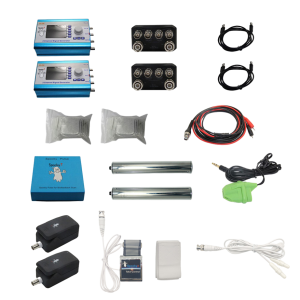
Spooky2 XM Generator Portable Essential Kit is the basic kit for helping with acute problems, chronic problems or serious problems.
The Spooky2 system is powerful, but it can also be confusing, with plenty of options and accessories available. Therefore, we have put everything you need into one convenient package. This kit is sufficient enough for you to start your first Spooky2 energy balancing journey.
It includes two Spooky2-XM Generators, Remote mode, Contact mode, Cold Laser and Pulse Biofeedback. One generator is for killing pathogens, bacteria and viruses. The other generator is for running detoxification programs to address any potential detoxification issue.
For multiple Spooky2-XM Generators connection, you can order a Spooky2 10 Port USB 3.0 Hub or a Spooky2 Quad 5V Power Supply.
Note:
- At Spooky2, we are always trying our best to protect our environment. We have updated our kit packaging to a more sustainable portable case. You will receive an $18 USD discount when purchasing this portable kit.
- The Spooky2 software requires Windows.
Access Free Spooky2 Courses and Certified Trainer Services
Safe and Effective Energy Balancer
Start your body energy balancing journey with Spooky2 now! This is the best non-drug solution for your body energy balancing. We offer you a 30-day satisfaction guarantee, so you have nothing to lose.Information:
How to Use Spooky2 XM Generator Portable Essential Kit
Spooky2 Video Tutorial
Spooky2 Quick Guide
Why do we recommend using multiple generators?SKU: SP-1A30S-12 -
All Product, Beginner Frequency Healing Rife Machine Kits, Frequency Healing Rife Machine Kits, Spooky2 GeneratorX Pro Frequency Healing Rife Machine Kits, Spooky2 New User Kits, Spooky2 Portable Kits
Spooky2 Portable GeneratorX Pro Essential Kit
 All Product, Beginner Frequency Healing Rife Machine Kits, Frequency Healing Rife Machine Kits, Spooky2 GeneratorX Pro Frequency Healing Rife Machine Kits, Spooky2 New User Kits, Spooky2 Portable Kits
Spooky2 Portable GeneratorX Pro Essential Kit
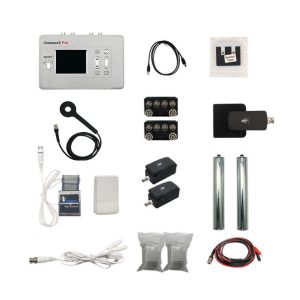
GeneratorX Pro(GX Pro) is the world’s most powerful Rife generator, brimming with the most advanced features.
Each GX Pro contains 2 function generators, which is a total of 4 frequency outputs plus a full Biofeedback system.
GX Pro can run at 40 MHz with any waveform, and can also load up to 30 programs from Spooky2 software. The most important feature of the GX Pro is its ability to run standalone without needing to stay connected to a computer. Simply load the programs onto the device using a computer, and it will continue to operate independently.
If you need to help with acute problems, chronic problems or serious problems, Spooky2 Portable GeneratorX Pro Essential Kit will be the best way to start.
Note:
- At Spooky2, we are always trying our best to protect our environment. We have updated our kit packaging to a more sustainable portable case.
- The Spooky2 software requires Windows.
Access Free Spooky2 Courses and Certified Trainer Services
Safe and Effective Energy Balancer
Start your body energy-balancing journey with Spooky2 now! This is the best non-drug solution for your body’s energy balance. We offer you a 30-day satisfaction guarantee, so you have nothing to lose but your conditions.Information:
How to Use Spooky2 Portable GeneratorX Pro Essential Kit
Spooky2 Video Tutorial
Spooky2 GeneratorX Pro Users Guide
How to Do GX Pro TENS Scan
The Differences Between GX Pro and the XM GeneratorSKU: SP-1B30S-15 -
All Product, Beginner Frequency Healing Rife Machine Kits, Frequency Healing Rife Machine Kits, Spooky2 Central Plasma Rife Machine Kits, Spooky2 New User Kits
Spooky2 Portable Central Plasma GeneratorX Pro Kit
 All Product, Beginner Frequency Healing Rife Machine Kits, Frequency Healing Rife Machine Kits, Spooky2 Central Plasma Rife Machine Kits, Spooky2 New User Kits
Spooky2 Portable Central Plasma GeneratorX Pro Kit
Spooky2 Central is currently the MOST powerful Rife machine. It’s a modern-day Rife system that applies Royal Rife’s original frequencies directly without a carrier. This method was originally used by Royal Rife when saving 16 patients back in 1934.
This kit combines Spooky2 GeneratorX Pro Essential Kit and Spooky2 Central Single Generator Kit together with an additional USB filter cable.
Note: The Spooky2 software requirement is a Windows System.
Safe and Effective Energy Balancer
Start your body energy balancing journey with Spooky2 now! It is your best drug-free solution for bringing back your good health. Also, we offer you a 30-day satisfaction guarantee, so you have nothing to lose.Information:
Access Free Spooky2 Courses and Certified Trainer Services
How to Use Spooky2 Portable Central GeneratorX Pro Kit
Spooky2 Video Tutorial
Advantages of Spooky2 Central Kit
The Differences Between Spooky2 Phanotron Tube and Spooky2 Straight TubeSKU: n/a -
All Product, Beginner Frequency Healing Rife Machine Kits, Frequency Healing Rife Machine Kits, Spooky2 Central Plasma Rife Machine Kits, Spooky2 New User Kits
Spooky2 Portable Central Plasma with GeneratorX Pro Kit
 All Product, Beginner Frequency Healing Rife Machine Kits, Frequency Healing Rife Machine Kits, Spooky2 Central Plasma Rife Machine Kits, Spooky2 New User Kits
Spooky2 Portable Central Plasma with GeneratorX Pro Kit
Spooky2 Central is currently the MOST powerful Rife machine. It’s a modern-day Rife system that applies Royal Rife’s original frequencies directly without a carrier. This method was originally used by Royal Rife when saving 16 patients back in 1934.
This kit combines Spooky2 GeneratorX Pro Essential Kit and Spooky2 Central Single Generator Kit together with an additional USB filter cable.
Note: The Spooky2 software requirement is a Windows System.
Safe and Effective Energy Balancer
Start your body energy balancing journey with Spooky2 now! It is your best drug-free solution for bringing back your good health. Also, we offer you a 30-day satisfaction guarantee, so you have nothing to lose.Information:
Access Free Spooky2 Courses and Certified Trainer Services
How to Use Spooky2 Portable Central GeneratorX Pro Kit
Spooky2 Video Tutorial
Advantages of Spooky2 Central Kit
The Differences Between Spooky2 Phanotron Tube and Spooky2 Straight TubeSKU: n/a
Real Success Stories from Spooky2 Users
Spooky2 Biofeedback has helped countless individuals with various health issues, from chronic conditions to sudden illnesses. Here are some of the most inspiring success stories from real users:
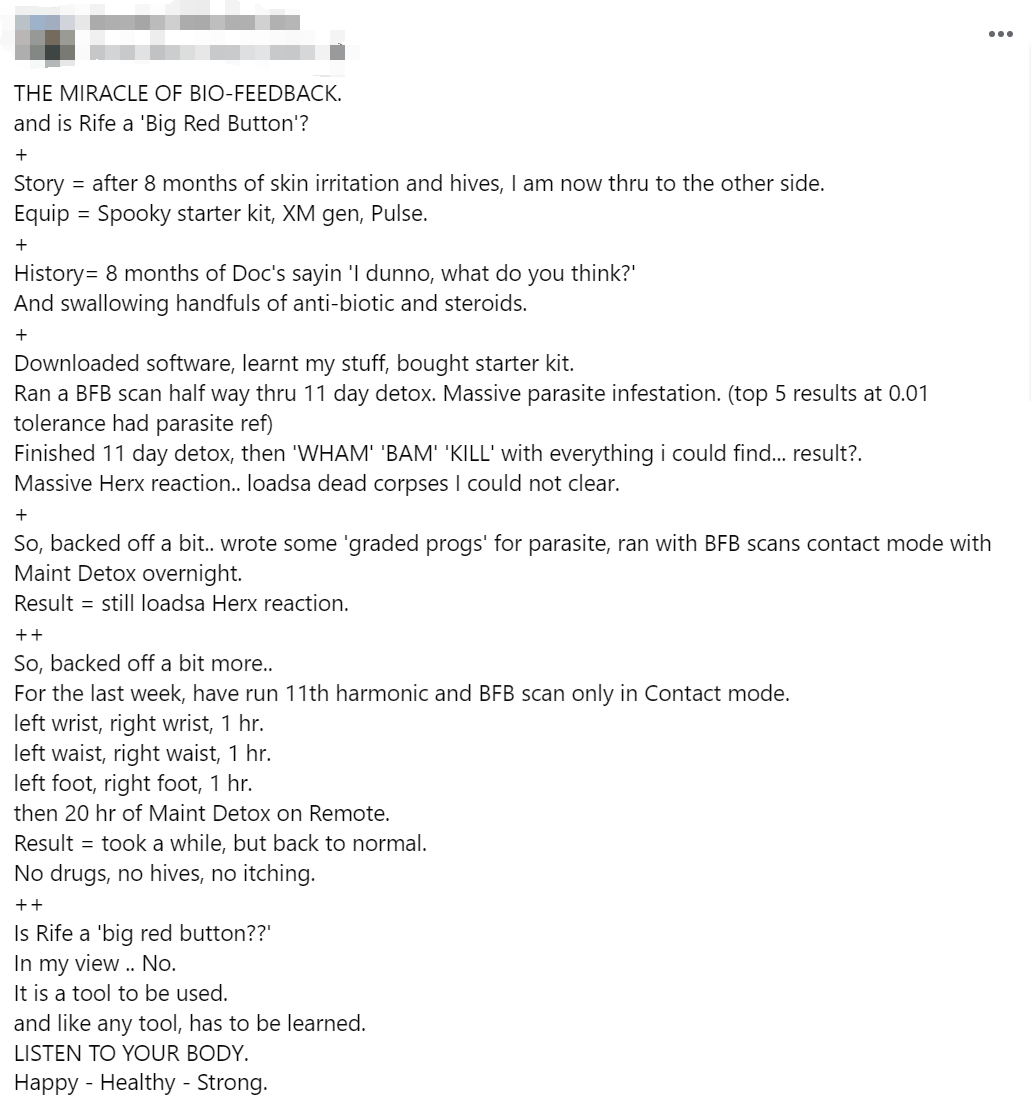
Case 1: Skin Irritation and Hives
- Challenge: 8 months of skin irritation and hives with no solution.
- Solution: Ran BFB scan during 11-day detox, identified parasites, and used Contact mode and Maintenance Detox.
- Result: No more hives or itching.
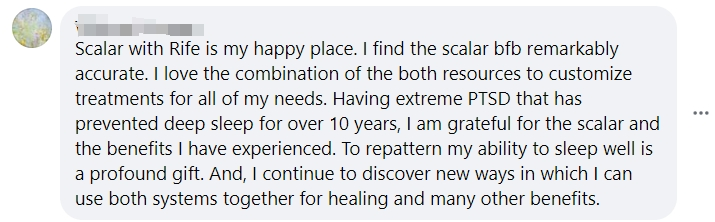
Case 2: PTSD and Sleep Recovery with Scalar and Rife
After years of PTSD and sleep issues, a user found profound relief and improved sleep quality using the Scalar machine and Rife frequencies.
Case 3: Undiagnosed Illness and Health Concerns
-
Challenge: Unexplained symptoms.
-
Solution: 24 BFB scans revealed chronic infections, tissue growths, and other health issues.
-
Result: Focused healing on the identified concerns.
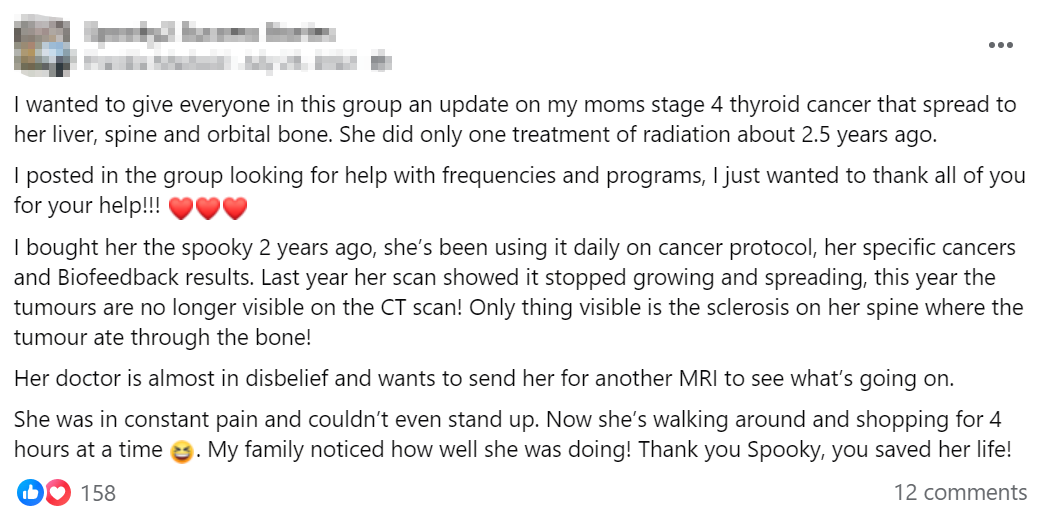
Case 4: Stage 4 Thyroid Issue with Metastasis
-
Challenge: Stage 4 thyroid issue that spreads to other organs.
-
Solution: Daily Health Protocol and BFB scans.
-
Result: Abnormal growths became undetectable on CT scans, and mobility improved.
Spooky2 Online Training Course — Biofeedback Scan
To learn more about the detailed operation of the Biofeedback Scan, please watch the training video at this link. This video will guide you through the process and provide valuable insights into performing a Biofeedback Scan effectively.
Conclusion
Spooky2 Biofeedback offers a personalized and practical approach to healing by identifying and addressing energetic imbalances in the body. With various scan types and presets, such as Pulse Scan and Hunt + Kill, you can tailor treatments to your unique needs, targeting specific health concerns. Regular scans, customized presets, and paying attention to your body’s responses will maximize the benefits of this powerful system. Real success stories highlight its potential to support recovery and improve well-being, making Spooky2 Biofeedback a valuable tool in your health journey.
