

Spooky2 Software is one of the most powerful and versatile tools in the world of frequency healing. With over 60,000 programs, it offers a comprehensive range of frequency settings to address a variety of health concerns. Whether you’re a beginner or an experienced user, understanding how Presets and Programs work can help you unlock the full potential of Spooky2. In this blog, we will explore the differences between Presets and Programs, provide an overview of how they work, and demonstrate the unique features of Spooky2 Software. Let’s dive in!
What Are Spooky2 Programs and Presets
At the heart of Spooky2 Software are two key features: Programs and Presets. While they both involve using frequencies to treat specific health concerns, they serve different purposes.
| Feature | Program | Preset |
|---|---|---|
| Definition | A collection of frequencies for specific conditions. | A pre-configured collection of programs for easy use. |
| Customization | Highly customizable; users can select and match programs to their needs. | Minimal customization; everything is pre-selected for convenience. |
Programs are ideal for users who want to customize their sessions and experiment with different frequencies.
Presets, on the other hand, are designed for those who want a ready-made solution with minimal configuration required.


How to Use Spooky2 Presets: A Simple Guide
Spooky2 presets are ready-to-use collections of frequencies designed for specific health concerns. They’re perfect for users who want quick and effective treatments without the need to manually configure settings. Let’s dive into how to use the 0002 Combined 7 Chakras + Meridians (R) for Remote preset as an example.
Steps to Use 0002 Combined 7 Chakras + Meridians (R)
-
Open Spooky2 Software: Launch the Spooky2 software on your computer.
-
Select the Preset:
-
Navigate to Preset Collections > DH Experimental Frequencies > Remote.
-
Choose 0002 Combined 7 Chakras + Meridians (R).
-
-
Choose Your Mode:
-
While Remote is the default, you can select other modes like Contact or PEMF based on your preference.
-
-
Connect the Remote:
-
If using a DNA sample, connect the remote to the generator and the ‘BN’ port of the Spooky2 Boost.
-
-
Run the Treatment: Start the preset and, for best results, run the full Wellbeing frequency set beforehand.
How to Create Your Programs and Presets
Spooky2 offers excellent customization options for those who wish to create their healing protocols:
Choosing a Program
If you know the specific frequencies you need (e.g., 40Hz, 80Hz, 120Hz), you can easily create a program tailored to your needs. For more guidance on selecting the right program, check out How to Choose a Program That Suits You the Best.
Creating a Custom Preset
If you find several programs that work well together, you can combine them into a preset. This allows you to run them in sequence automatically, saving you time and effort.
Tutorial: How to Make Your Own Presets out of Shell Presets.
Creating a Preset Chain
For more advanced users, creating a preset chain allows you to run multiple presets (e.g., a detox followed by a healing preset) in one continuous process.
Tutorial: How to Create a Preset Chain.


Online Training: Overview of Spooky2 Software
To deepen your understanding of Spooky2 Software, check out the Spooky2 Online Training Course, which covers:
- Overview of Spooky2 Software and Menu Tabs
- Detailed explanations of Preset, Program, Control, and System tabs
- Live demos and Q&A sessions
Course Link: Spooky2 Online Training Course – Spooky2 Software.
Recommended Kits
-
All Product, Beginner Frequency Healing Rife Machine Kits, Frequency Healing Rife Machine Kits, Spooky2 New User Kits, Spooky2 Portable Kits, Spooky2 XM Pro Generator Frequency Healing Rife Machine Kits
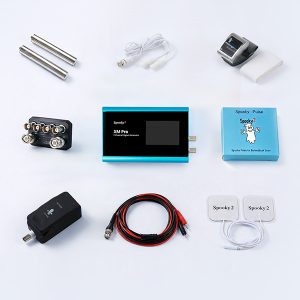
Spooky2 XM Pro Generator Portable Starter’s Kit
 All Product, Beginner Frequency Healing Rife Machine Kits, Frequency Healing Rife Machine Kits, Spooky2 New User Kits, Spooky2 Portable Kits, Spooky2 XM Pro Generator Frequency Healing Rife Machine Kits
Spooky2 XM Pro Generator Portable Starter’s Kit
This kit has everything you need to set up your first Spooky2 rig.
The Spooky2 system is powerful, but it can also be confusing, with plenty of options and accessories available. Therefore, we have put everything you need into one convenient package. It is enough for you to start your first Spooky2 energy balancing journey.
If you are a Spooky2 beginner, you can start with this kit. It consists of one Spooky2 XM Pro Generator, Remote mode, Contact mode, Cold Laser, and Pulse Biofeedback.
Note: The Spooky2 software requires Windows.
Access Free Spooky2 Courses and Certified Trainer Services
Gentle yet Effective Energy Support
Begin your body energy balancing journey with Spooky2 today. Experience a holistic approach designed to support your body’s natural alignment. With our 30-day satisfaction guarantee, you can get started with total confidence.Information:
How to Use Spooky2 XM Generator Portable Starter’s Kit
Spooky2 Video Tutorial
Spooky2 Quick Guide
Why do we recommend using multiple generators?SKU: SP-1A30S-30 -
All Product, Beginner Frequency Healing Rife Machine Kits, Frequency Healing Rife Machine Kits, Spooky2 New User Kits, Spooky2 Portable Kits, Spooky2 XM Pro Generator Frequency Healing Rife Machine Kits
Spooky2 XM Pro Generator Portable Essential Kit
 All Product, Beginner Frequency Healing Rife Machine Kits, Frequency Healing Rife Machine Kits, Spooky2 New User Kits, Spooky2 Portable Kits, Spooky2 XM Pro Generator Frequency Healing Rife Machine Kits
Spooky2 XM Pro Generator Portable Essential Kit
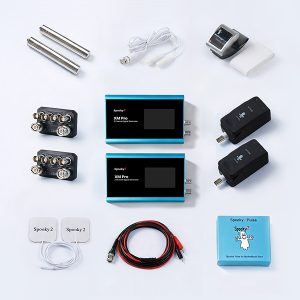
Spooky2 XM Pro Generator Portable Essential Kit contains all the fundamental components to support your wellness needs.
The Spooky2 ecosystem offers a vast array of options. We’ve made things easier for you by putting the must-have essentials into one single package. This kit provides everything you need to begin your personal energy balancing journey.
This kit includes two Spooky2 XM Pro Generators, Remote mode, Contact mode, Cold Laser, and Pulse Biofeedback accessories. The two generators can operate simultaneously for different purposes.
For multiple Spooky2 XM Pro Generator connections, you can order a Spooky2 10 Port USB 3.0 Hub or a Spooky2 Quad 5V Power Supply.
Note:
- At Spooky2, we are always trying our best to protect our environment. We have updated our kit packaging to a more sustainable portable case. You will receive an $18 USD discount when purchasing this portable kit.
- The Spooky2 software requires Windows.
Access Free Spooky2 Courses and Certified Trainer Services
Gentle yet Effective Energy Support
Begin your body energy balancing journey with Spooky2 today. Experience a holistic approach designed to support your body’s natural alignment. With our 30-day satisfaction guarantee, you can get started with total confidence.Information:
How to Use Spooky2 XM Generator Portable Essential Kit
Spooky2 Video Tutorial
Spooky2 Quick Guide
Why do we recommend using multiple generators?SKU: SP-1A30S-31 -
All Product, Beginner Frequency Healing Rife Machine Kits, Frequency Healing Rife Machine Kits, Spooky2 GeneratorX Pro Frequency Healing Rife Machine Kits, Spooky2 New User Kits, Spooky2 Portable Kits
Spooky2 Portable GeneratorX Pro Essential Kit
 All Product, Beginner Frequency Healing Rife Machine Kits, Frequency Healing Rife Machine Kits, Spooky2 GeneratorX Pro Frequency Healing Rife Machine Kits, Spooky2 New User Kits, Spooky2 Portable Kits
Spooky2 Portable GeneratorX Pro Essential Kit
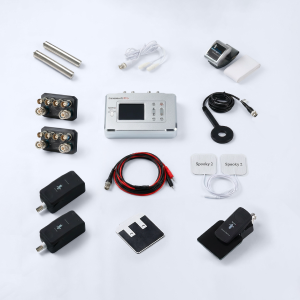
GeneratorX Pro (GX Pro) is the world’s most powerful Rife generator, brimming with advanced features.
Each GX Pro contains 2 function generators, which is a total of 4 frequency outputs plus a full Biofeedback system.
GX Pro can run at 40 MHz with any waveform, and can also load up to 30 programs from Spooky2 software. The most important feature of the GX Pro is its ability to run standalone without needing to stay connected to a computer. Simply load the programs onto the device using a computer, and it will continue to operate independently.
If you need help with acute problems, chronic problems, or serious problems, the Spooky2 Portable GeneratorX Pro Essential Kit will be the best way to start.
Note:
- At Spooky2, we are always trying our best to protect our environment. We have updated our kit packaging to a more sustainable portable case.
- The Spooky2 software requires Windows.
Access Free Spooky2 Courses and Certified Trainer Services
Gentle yet Effective Energy Support
Begin your body energy balancing journey with Spooky2 today. Experience a holistic approach designed to support your body’s natural alignment. With our 30-day satisfaction guarantee, you can get started with total confidence.Information:
How to Use Spooky2 Portable GeneratorX Pro Essential Kit
Spooky2 Video Tutorial
Spooky2 GeneratorX Pro User’s Guide
How to Do GX Pro TENS Scan
The Differences Between GX Pro and the XM GeneratorSKU: SP-1B30S-15 -
All Product, Beginner Frequency Healing Rife Machine Kits, Frequency Healing Rife Machine Kits, Spooky2 Central Plasma Rife Machine Kits, Spooky2 New User Kits
Spooky2 Portable Central Plasma GeneratorX Pro Kit
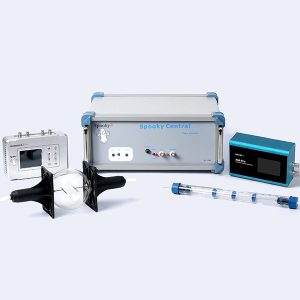 All Product, Beginner Frequency Healing Rife Machine Kits, Frequency Healing Rife Machine Kits, Spooky2 Central Plasma Rife Machine Kits, Spooky2 New User Kits
Spooky2 Portable Central Plasma GeneratorX Pro Kit
Spooky2 Central is a versatile Rife Plasma machine that allows for the direct application of Royal Rife’s original frequencies without a carrier. The phanotron tube is an authentic modern replica of Rife’s original design.
Note: The Spooky2 software requirement is a Windows System.
Gentle yet Effective Energy Support
Begin your body energy balancing journey with Spooky2 today. Experience a holistic approach designed to support your body’s natural alignment. With our 30-day satisfaction guarantee, you can get started with total confidence.Information:
Access Free Spooky2 Courses and Certified Trainer Services
How to Use Spooky2 Portable Central GeneratorX Pro Kit
Spooky2 Video Tutorial
Advantages of Spooky2 Central Kit
The Differences Between Spooky2 Phanotron Tube and Spooky2 Straight TubeSKU: n/a -
All Product, Beginner Frequency Healing Rife Machine Kits, Frequency Healing Rife Machine Kits, Spooky2 Scalar Energy Healing Kits
Spooky2 Scalar GeneratorX Pro Essential Kit
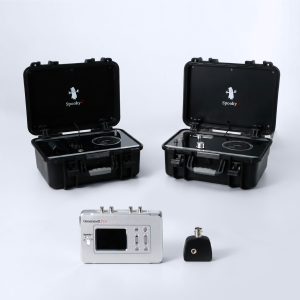 All Product, Beginner Frequency Healing Rife Machine Kits, Frequency Healing Rife Machine Kits, Spooky2 Scalar Energy Healing Kits
Spooky2 Scalar GeneratorX Pro Essential Kit
Spooky2 Scalar GX Pro Essential Kit provides a full scalar system for healing scalar energy and scalar biofeedback scans.
Want to know if Spooky2 Scalar really works for you? View our verified testimonials here.
Access Free Spooky2 Courses and Certified Trainer Services
Gentle yet Effective Energy Support
Begin your body energy balancing journey with Spooky2 today. Experience a holistic approach designed to support your body’s natural alignment. With our 30-day satisfaction guarantee, you can get started with total confidence.SKU: n/a
Join the Spooky2 Community
Healing is easier with support. Join our Spooky2 community to connect with other users, ask questions, and share experiences:
- The Spooky2 Forum– Get expert advice and support.

- Spooky2 Facebook Group– Read real stories and share your journey.

Conclusion
Spooky2 Software is a versatile platform that offers both pre-configured presets and customizable programs for different wellness goals. Whether you’re looking for a handy solution or prefer to tailor your experience, Spooky2 gives you the flexibility to explore and experiment. With over 60,000 programs, extensive customization options, and real user success stories, Spooky2 is designed to empower users in taking an active role in their wellness journey.