Spooky2 Kits Instructions
If you order Spooky2 Kits, click the link to directly access the instructions.
- Spooky2 Portable Starter’s Kit Instructions
- Spooky2 XM Generator Remote Kit Instructions
- Spooky2 Portable Essential Kit Instructions
- Spooky2 Portable GeneratorX Remote Kit Instructions
- Spooky2 Portable GeneratorX Essential Kit Instructions
- Spooky2 Central Single Generator Kit Instructions
- Spooky2 Portable Central GeneratorX Kit Instructions
- Spooky2 Portable Colloidal Silver Generator Kit Instructions
Spooky2 Software
1. Download the software:
Go to www.spooky2.com/downloadspage/ and click on the Spooky2 Starter Pack to download it.
2. Install the software:
A. Go to either your Download, Quick Access or Recent Folder and extract all files from the downloaded Spooky2 Starter Pack zip file.
B. In the new window that opens, go into the Spooky2_Starter_Pack folder.
C. Go into the Spooky2 setup folder. Then double click the Spooky2 setup application and follow the prompts on the screen.
D. When the installation is done, tick “Yes, launch the program file,” then click the “Finish” button.
E. Spooky2 will launch. You will see a “No generators detected” alert.
F. Click “Yes” to install drivers, and the driver installer will launch. Please follow the prompts on the screen.
When the driver installation for the Spooky2-XM generator completes, click Finish. Now you have Spooky2 software successfully installed.
PS: Spooky2 software will be in test mode if you don’t connect a generator to the computer.
Here is the video of installing the software and drivers: https://youtu.be/H5h2Aao99Mw
The system requirement is a Windows system. Windows XP, Windows Vista, Windows 7, Windows 8/8.1, and Windows 10 are supported. There is no specific requirement for computer memory. We recommend using computers with Intel processors for optimal performance.
Regrettably, there are no native Mac or Linux versions available. We recommend you pick up a pre-owned Windows PC and dedicate it to Spooky2. These can usually be bought for a very modest price.
Alternatively, you can use BootCamp to create a Windows partition or purchase virtualization software. You can download our helpful “Spooky2 in Linux or Mac” PDF guide at http://www.spooky2.com/downloadsPage/index.html
We need to choose and connect Spooky2 Generator with accessories before launching Spooky2 Software. After launching software, please follow the below steps to operate software and run program.
To switch from 4 modules to 7 modules in Spooky2, please follow these steps:
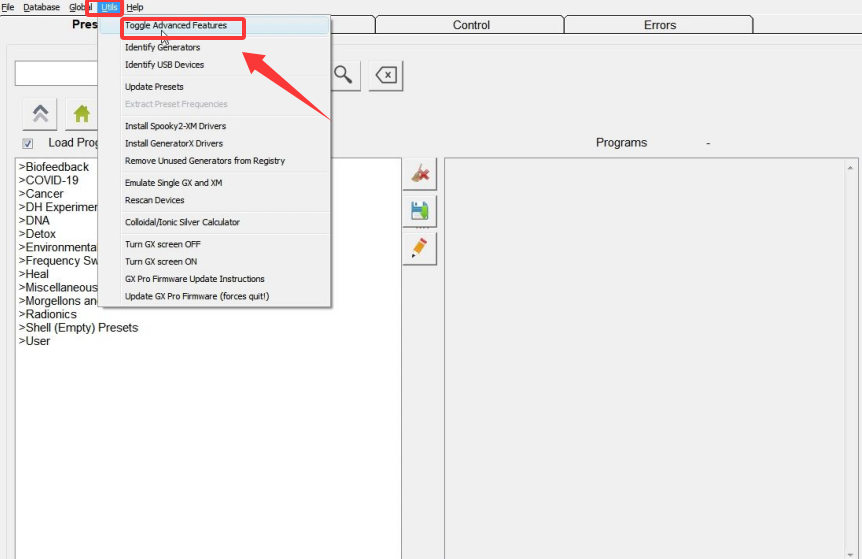
- Open the Spooky2 software and navigate to the top menu.
- Click on the “Utils” menu.
- In the drop-down list, select “Toggle Advanced Features”.
- After clicking this option, the software will switch from 4 modules to 7 modules, giving you access to additional features.
Step 1: Choose Preset
There are two types of presets:
1. Factory Preset ( It includes software setting and programs )
2. Shell Preset ( It only includes software setting and we need to choose programs under Programs tab )

Step 2: Choose Programs under Programs Tab
PS: How to Choose Keywords when Searching in Spooky2 Software
Step 3: Go to the Control Tab, tick ” Overwrite Generator ”
Step4: Select a generator which you are going to use
Step 5: Click the ” Start ” Button
Spooky2 software has the largest frequency database in the world. To find suitable presets/programs in Spooky2 software, searching with keywords related to the condition is necessary. Please read this blog for details.
https://www.spooky2-mall.com/blog/how-to-choose-keywords-when-searching-in-spooky2-software/
Here are two ways of how to resume your program from where it last ran.
https://www.spooky2-mall.com/blog/how-to-resume-your-program/
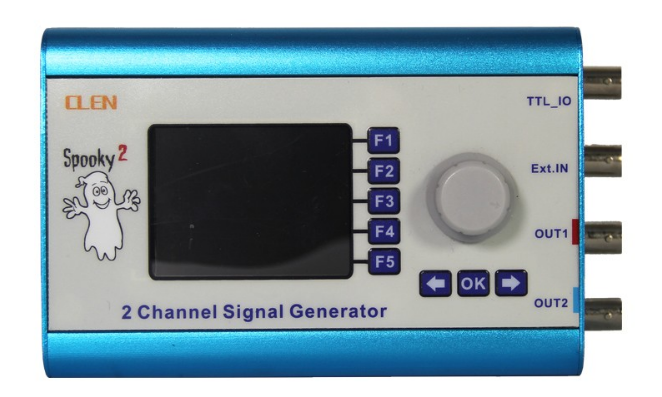
Spooky2 Generators
Spooky2 Transmission Mode
Spooky2 Remote 2.0
There is a phenomenon in physics called “quantum entanglement”, which was referred to as “Spooky Action at a Distance” by Einstein. The basic idea is that there are situations where two particles act as though they were connected to each other even though they are at different locations, sometimes miles apart.
Experiments have been conducted where two photons were created at the same time and were then moved a distance apart. If something was done to one of them, there was an instantaneous effect on the other one. That is, there was no time delay.
Explore more in our detailed blog post.
Put your DNA into Spooky2 Remote v2.0. It is recommended to use fingernails as DNA sample.
Explore more in our detailed blog post.
Nails: the DNA contained in fingernails is encased in hard keratin which protects it from degradation. In theory, it should be good to use for scalar transmission forever, and indeed some practitioners never change their specimens.
Saliva: cut a strip of blank paper (blotting paper is best) about two inches long and one inch wide. Place the top one-third of this in your mouth for about five minutes, or until it becomes saturated with saliva. Allow it to air-dry for about 10-20 minutes before placing it into your Remote. Good for about three days.
Buccal Skin Cells: this is how police do large-scale DNA testing after certain serious crimes. As above, use a strip of paper, but don’t allow it to soak in your mouth. Instead, rub the top one-third gently but firmly against the inside of your cheek for a moment. If it becomes wet, allow it to air-dry as above. Good for about 4-5 days.
Blood: for this you need a pack of lancets designed for diabetics to safely test blood sugar levels. These are inexpensive and available from all pharmacies. Wash your hands thoroughly first, then follow the directions on the pack. Smear the droplet of blood on the top one-third of a strip of paper. Allow to air-dry for a few moments. Good for about 5-6 days.
Hair: the shaft contains no DNA, only RNA. So it must have the root “bulb” attached. Good for about two days.
Explore more in our detailed blog post.
The LEDs are far more useful than they appear, and once you understand how they work, you’ll be able to judge a lot more of what’s going on in your generator at a glance.
Four factors determine how the LEDs respond to the signal: frequency, waveform, offset, and amplitude.
Explore more in our detailed blog post.
- Ensure each nail is individually isolated with tape or a label to prevent DNA cross-contamination. Some users have reported successfully isolating up to 50 nails at once.
- The program you run should be suitable for everyone.
With remote programs, typically we recommend running non-stop until it helps, or about a month, then re-evaluate whether there is something different to try.
No. A tiny portion of one clipping would be sufficient.
Medical tape is good. And A4 paper is ok too.
How to Use Spooky2 Remote V2.0 with GeneratorX Pro
How to Use Spooky2 Remote V2.0 with XM Generator
Spooky2 Contact Mode
- Easy to Use
- Hands-Free
- Targeted Local Treatment
- Enhanced Power
- Footbath Detox
- Better suited for joints
- Stays securely in place during overnight use
- Supports the anal canal or targeted organs
● Where possible place electrodes across your painful region. You should try to leave at least 5cm between electrodes.
● Spinal Pain: Place either side of your spine.
● Leg Pain: Place either side of your lower back.
● Arm Pain: On the hand of the pain arm.
Explore more in our detailed blog post.
You have to have Spooky2 Hand Cylinders for Spooky2 foot bath.
1. Connect your Spooky2 hardware properly and open up Spooky2 software.
2. Fill a bucket 1/4 full with warm water.
3. Place one Spooky2 Stainless Hand Cylinder in the water. Do not allow the other end of Hand Cylinder (the end connected with TENS Cable) to touch the water.
4. Place both feet in the water. Do not allow your feet to touch the Hand Cylinders.
5. Hold the other Spooky2 Stainless Hand Cylinder with your hands.
Select the “Footbath Detox(C) – JW” Preset under Detox\Contact directory and run.
Explore more in our detailed blog post.
There are a number of reasons one would experience shocks and a number of ways to avoid it. Please review to see if this applies to your situation.
1. Low Frequencies. Remedy: Use Reduce Amplitude < 10 kHz setting as depicted in the User Guide.
2. High Voltage. Remedy: Use Amplitude Ramp 5 Seconds (UP/Down) to gently start and end each frequency. Recommend one uses this with Reduce Amplitude < 10 kHz settings as also depicted in the User Guide.
3. I still feel too much when applying both #1 and #2. Remedy: Plug into the CS port of the Boost. This has a resistor that will limit current, yet still, provide a proper contact treatment.
4. Wired to more than one generator. Remedy: Do not use more than one generator in contact mode at a time.
5. The possibility that the TENS pads are no longer good. Remedy: Replace TENS pads.
Explore more in our detailed blog post.
You may connect both TENS cable wires to the Internal Electrode. The treatment area will be between the electrodes.
Alternatively, you may connect one TENS cable wire to one of the Internal Electrode wires, and the other TENS cable wire to a regular TENS pad. The treatment area will be the straight line between the electrodes. The distance between electrodes is much greater using this method, allowing the prostate gland and bladder area to be treated.
We recommend you initially use the safe, low-power Colloidal Silver port of Spooky Boost. If you want more power, you can use the ‘High Power’ port of Spooky Boost v3.0.
Explore more in our detailed blog post.
There are many factors that determine whether someone feels the contact frequencies…
The first is the frequencies themselves. Any over 10KHz should not be felt by anyone, only those less than 10K should resonate with nerves…
The second factor is the amplitude. We need a minimum of 14V to penetrate the skin and be effective but can use up to 20 with the XM generator.
The third is whether you are using the CS port or the Hi Pwr port on the Boost unit… The added resistor in the CS port circuit reduces any tingling so it generally isn’t bothersome.
Explore more in our detailed blog post.
It is not advisable to place TENS pads above the neckline, as it is important to protect sensitive areas like the brain, eyes, and thyroid. If you wish to treat areas related to the head, it is safer to position the TENS pads on the shoulders, below the neckline.
We suggest a maximum of two contact sessions per day. However, once a day is usually sufficient, followed up with Remote Mode for the rest of the day. You can certainly add a second contact treatment in the early evening to try to boost efficacy. But twice a day contact max. Protocol followers can freely and safely use the provided overnight Contact Mode presets.
How to Connect Spooky2 Contact Accessories to GeneratorX Pro
How to Connect Spooky2 Contact Accessories to XM Generator
Spooky2 Cold Laser Devices
Spooky2 Cold Laser Twin
- Great ideal for the ear, navel, or acupuncture points (meridians)
Spooky2 Cold Laser WristX
- Pain Relief
- Blood Purification
Spooky Cold Laser brings the healing qualities of 650nm laser light to the home. These instructions will help you to get started. Click this link for more details: Spooky Cold Laser Instructionsed
Treatment times depends on what is being treated. In general, the ideal duration of cold laser would be 30 seconds to 30 mins. With longer treatment time, it will not cause damage to tissues, but it also won’t increase the effectiveness of the treatment. And 1-2 times a day would be ok.
Yes, you can.
If you have only one generator, click this link for more details: https://www.spooky2-mall.com/blog/can-i-use-two-cold-lasers-at-the-same-time-on-one-generator/
It comes with rubber protectors to protect the lasers.
Treatment times depends on what is being treated. In general, the ideal duration of cold laser would be 30 seconds to 30 mins. With longer treatment time, it will not cause damage to tissues, but it also won’t increase the effectiveness of the treatment. And 1-2 times a day would be ok.
If you are running different frequencies to perform the treatment there is no maximum session time. The 30 minute session time refers to treatments that use the light wave frequency to stimulate the body’s immune system. Beyond 30 minutes there is not much increase in the body’s immune function.
How to use Spooky2 Cold Laser with XM generator
How to use Spooky2 Cold Laser with GeneratorX Pro
Spooky2 PEMF Coil
There are four ways to imprint frequencies into water using Spooky2. They are Spooky2 PEMF Coil, Spooky2 Cold Laser, Spooky2 Plasma and Spooky2 Scalar.
Explore more in our detailed blog post.
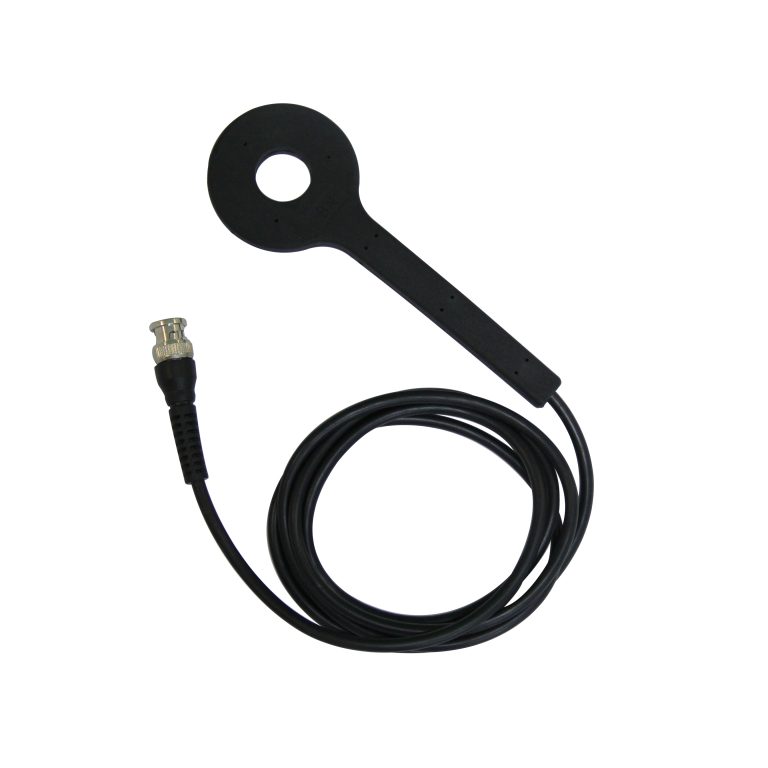
The PEMF coil is a low power frequency source. It can be used for pain management, reduce inflammation, sleep disorders, entrainment, depression and anxiety, bone healing and much more.
When connected to the Spooky2 Central, the orientation is important. The Spooky2 Central uses a polarized output, so you will want to aim the PEMF coil with the BN side towards the body. This ensures that the output matches the North Pole or Bio-North as it is called. This carries with it a negative magnetic field bias which has been shown to be better for the life processes than a positive oriented field.
When connected to the XM generator or GeneratorX directly, since we are using an alternating current, either side will work as the field is constantly flipping.
Spooky2 has no limits. You can use as long as you like.
However, there are no adverse effects from using the coil too long. Treatments can safely be performed overnight.
Sometimes use of the PEMF coil with frequency sets can result in a Herx reaction. This happens when pathogens are killed and the poisons they contain are released. So take care and slowly build up treatment durations.
Yes. Place water in a glass container on top of the PEMF coil and run healing programs with a total frequency count of less than around 8. High frequencies should restructure the water in one or two hours and very low frequencies like Schumman Resonance may take a day or two.
If you want to imprint frequencies to water, please watch this video:
https://www.spooky2videos.com/video/how-to-imprint-frequencies-using-pemf-coil/
How to use Spooky2 PEMF Coil with XM generator
How to use Spooky2 PEMF Coil with GeneratorX Pro
Spooky2 Central
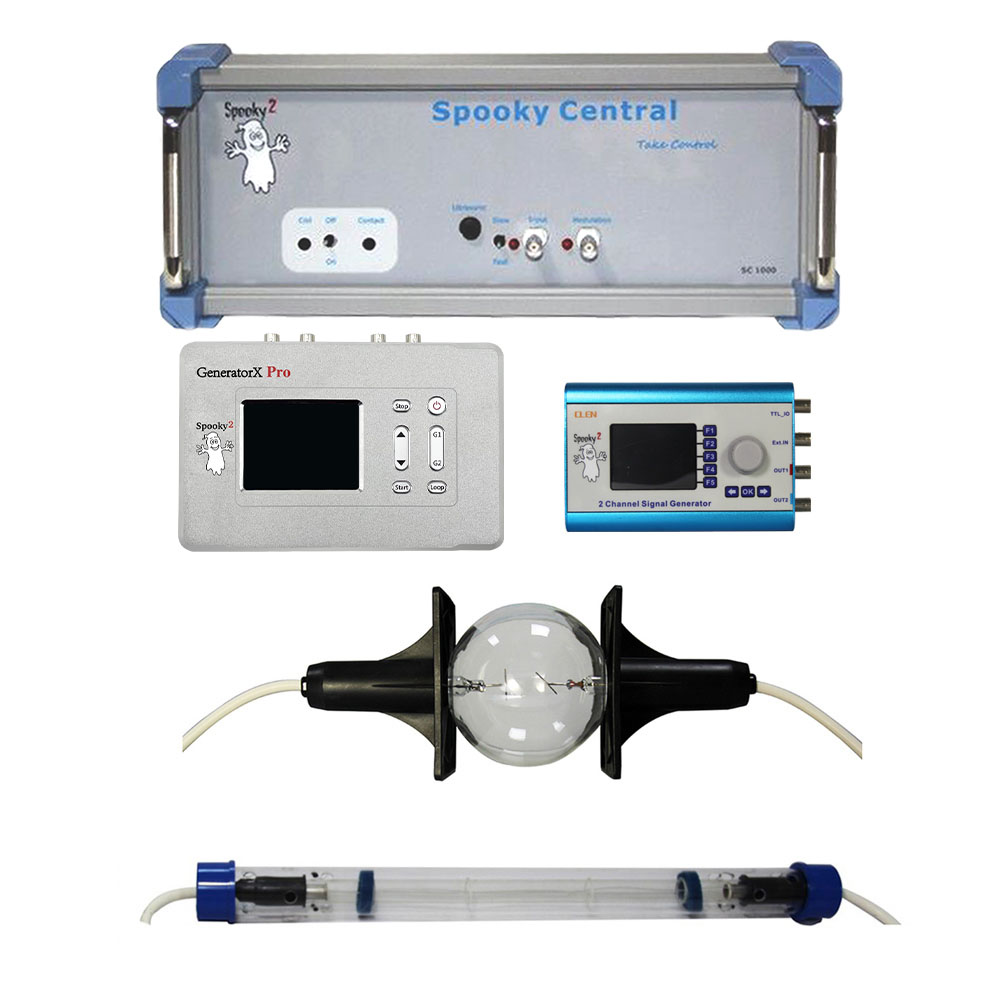
Here are five suggested notes for using Spooky central:
1. Make sure the white high voltage wires, plasma tube and Spooky Central are as far from the generator and its power supply as possible. If either the high voltage cable of the tube or the tube itself is close to the power supply (or power supply wires) of the generator, the generator may easily lock up.
2. The cable from the 5v power adapter acts as an aerial, picking up the signals from Spooky Central. Please ensure the adapter is plugged into a different mains socket outlet.
3. Use a generator with P/N number starting from 2417.
4. Use the special USB and BNC filter cables provided with your Spooky Central. If you do not have the BNC filter cables, they can be purchased from www.spooky2-mall.com.
5. A lot of powered USB hubs have very bad power supplies. And it can cause problems.
Explore more in our detailed blog post.
Like Dr. Rife’s original machines, Spooky Central doesn’t require any wasteful and potentially harmful fixed carrier to generate sidebands. It can drive plasma tubes from 100 kHz all the way up to 3.5 MHz without the need for an undesirable carrier frequency. Spooky Central has 3 other ways of applying frequencies. As well as Plasma, Spooky Central can also use ultrasonic, PEMF and contact modes. Each can be run individually or together for improved results.
Explore more in our detailed blog post.
1. The gas used in the straight plasma tube is Argon. The Phanotron tube uses pure Helium, the best gas for plasma tubes.
2. The Phanotron tube electrodes provide stronger, more focused signals for localized treatment.
3. The frequency range of Phanotron tube is better than the straight plasma tube.
4. The Phanotron tube has a built-in holder, making the tube safer and more convenient to use.
5. The phanotron tube is for concentrated energy on a given issue, like a localized problem, while the long tube is for scattered issues in the whole body, like disseminated pathogens.
Explore more in our detailed blog post.
Plasma is best suited for short treatments, though you may choose to run the longer overnight Presets if you wish. Always ensure there is adequate ventilation around the tube.
Plasma produces two related fields. The one that does the really heavy lifting is the near-field, and this extends six inches from the tube in all directions. After six inches, it becomes far-field, which isn’t as effective as near-field, although it still works efficiently enough to disinfect and clear mold from a home.
So it still works on the body, just not to the same extent and power as near-field.
If you are unable to be within the near field, suggest you remain within 5 feet of the tube for decent efficacy. This is where I have most of my family when the tube is running.
I have affected targets further than this, but the field decreases in power as you go further away.
To give you an idea of the field, a WIFI router is only 1 watt of power maximum by law. You can see how large the field is with your phone. The plasma output from the Spooky2 Central is 40 watts.
How to Use GeneratorX Pro with Spooky2 Central
How to Use XM Generator with Spooky2 Central
Spooky2 Biofeedback Scan
Spooky2 Pulse Scan
Spooky2 GeneratorX Pro TENS Scan
Spooky2 GeneratorX Pro Sample Scan
| Spooky2 Biofeedback Scan | Spooky2 Pulse Scan | Spooky2 GeneratorX Pro TENS Scan | Spooky2 GeneratorX Pro Sample Scan |
|---|---|---|---|
| Hardware | Spooky2 XM Generator Spooky2 Boost v3.1 Spooky2 TENS Cable Spooky2 TENS Pad Spooky2 Pulse | Spooky2 GeneratorX Pro Spooky2 TENS Cable Spooky2 TENS Pad | Spooky2 GeneratorX Pro Spooky2 Sample Digitizer |
| Advantages | Discover Effective Healing Solutions Ideal for Full Body Scans | Ideal for Local Scans | Bio-sample Scan |
| Scan Time | 60 mins + | 7 mins + | 7 mins + |
| User Guide | Spooky2 Pulse Training | How to Do GX TENS Scan | GX Sample Digitizer Instruction |
Biofeedback scan requires a frequency sweep to be input to the body, plus a system to monitor the results of this. As this sweep is being transmitted, it will kill or injure pathogens. Your body registers these events as stresses, and each one is clearly recorded.
Explore more in our detailed blog post.
When the body encounters stress, it alters its own electrical fields through the autonomic nervous system. The results are changes in skin conductivity, heart rate and electrical signal behaves. Telling lies to someone creates stress, and the results of this are easily picked up by a polygraph. There’s nothing the subject can do to prevent this since the autonomic nervous system is not under conscious control. And it doesn’t matter how slight or how minute the amount of stress is – the body reacts just the same.
Explore more in our detailed blog post.
Most people can relate to the Pulse technique because of heart functions, but a little lost understanding an advanced technique represented in the GX Biofeedback.
Explore more in our detailed blog post.
This is a complex question, and there are a number of reasons why it happens. First is the nature of the terrain you’re scanning – your body. In 1972 and 1977, two different studies assayed the human body in order to determine the bacterial load carried by the average person. They found that the number of bacterial cells was 10 times greater than the number of human cells – meaning that we humans are actually 90% bacterial and only 10% human.
Explore more in our detailed blog post.
When the body encounters stress, it alters its own electrical fields through the autonomic nervous system. The results are changes in skin conductivity, heart rate and electrical signal behave. Once a biofeedback scan is finished, it will form a list of frequencies that can be saved as a set and used to deal with the unbalanced energy in your body because now you have the right frequencies.
Explore more in our detailed blog post.
When you do a biofeedback scan, you can’t be receiving any other frequency except from the generator doing the biofeedback program. Failing to do so, make the whole scan session useless, because Spooky2 doesn’t know which of the different freqs being delivered is producing the stress.
Any other generator must be paused or stopped before attempting to do the scan. I would pause the other generators with enough time to allow your body to stabilize.
Pause is a valid option. To clarify, stop does not mean physically power off the generator.
As for the amount of time to allow for stabilization, this may vary from person to person. Some have advised to exercise briefly before performing the scan, as this helps some who have pulse reading issues — take a simple walk, etc. Perhaps combining the two can be worth the time invested prior to the scan. Suggest a 15 minute break after pausing all generators as a starting point.
As for after the scan, there is no need to wait. The programs can be resumed as soon as you have finished saving your results.
Scans can’t be stopped without restarting at the beginning. Many use the partial scans so they don’t lose parts. There are Presets for Half scans and Quarter scans.
Depending on your Spooky2 device, scanning every seven or four days is highly recommended.
Spooky2 Central/Plasma users should use the results program in a killing preset and run it once a day for four days, then scan again.
Contact Mode users should run it once daily for seven days, and then scan again.
Remote Mode should be run non-stop for a week and then scan again. Repeated scans are necessary.
Spooky2 Pulse Scan ( XM Generator )
How to Do GeneratorX Pro Biofeedback Scan
Tips for Using
Step 1: Do full body detox
Step 2: Do biofeedback scan to Find Suitable Frequencies for you
Step 3: Run programs depends on your condition
Step 4: Keep healthy diet: Drink lots of water, Sleep early, Supplement with natural probiotics using fermented foods
Spooky2 Academy
One on One service
At Spooky2 Academy, we have many certificated trainers who work with and share the same vision as Spooky2. They provide professional suggestions on energy balance and Rife frequencies, present online training webinars and events, and they also schedule one-on-one appointments to help new and intermediate Spooky2 users.
Click start to find your exclusive trainer.
You should expect to accelerate your Spooky2 experience with ease after working with a trainer.
Spooky2 Online Training Course
We offer English training every Thursday, and each month we host sessions in other languages, including German, French, Italian, and Dutch. Our expert trainers share their personal insights and teach you specific usage methods. You’ll also have the opportunity to ask questions, which will be answered directly by the trainers.
We highly recommend these online sessions to help you get the most out of your Spooky2 experience. We look forward to seeing you there!
Recommended Past Course Recordings for New Users